

Google Analytics used to be the default.
Now GA4 feels like opening the cockpit of a plane when all you wanted was: “Where did the paying customers come from?”
That is why so many founders are switching. Not because analytics is boring. Analytics is not boring. Analytics is money gossip.
The problem is GA4 makes simple questions weirdly hard:
- Which traffic source made revenue?
- Which blog post brought customers, not just visitors?
- Which country is buying?
- Where does the funnel leak?
- Can I see this without signing a data processing treaty with a small nation?
Here are the best Google Analytics alternatives I would actually consider in 2026.
My Shortlist
Here is the fast version before we get into the weeds:
Quick Comparison
| Tool | Best for | Pricing |
|---|---|---|
Revenue/ROI tracking for SaaS and ecommerce | Event-based tiers | |
SaaS and product teams | Generous free tier | |
Minimalists and simple sites | $20/mo, free plan | |
Blogs and marketing sites | From ~$9/mo | |
Indie makers and multi-site analytics | $15/mo | |
Modern GA replacement with depth | $13-26/mo, 7-day trial | |
Compliance and full GA replacement | Free self-host or paid cloud | |
Developers who self-host | Free self-hosted; Cloud free to $20/mo | |
Free basic analytics | Free | |
Heatmaps and recordings | Free |
1. DataFast
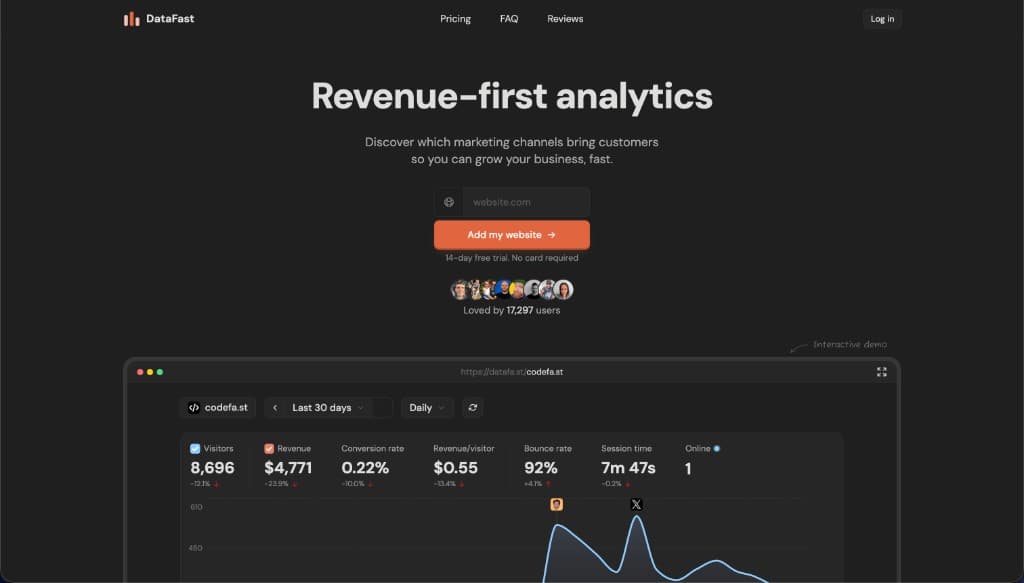
DataFast is the first one I recommend now.
Yes, Marc Lou made it. Yes, Marc is a good friend. Yes, I am biased.
But I am biased because I use the thing.
Most analytics tools show visitors. DataFast shows visitors next to revenue. That sounds like a small difference until you realize it changes the whole question.
Instead of asking:
“Did traffic go up?”
You ask:
“Which traffic made money?”
Much better question. Fewer fake wins. Less dashboard theater.
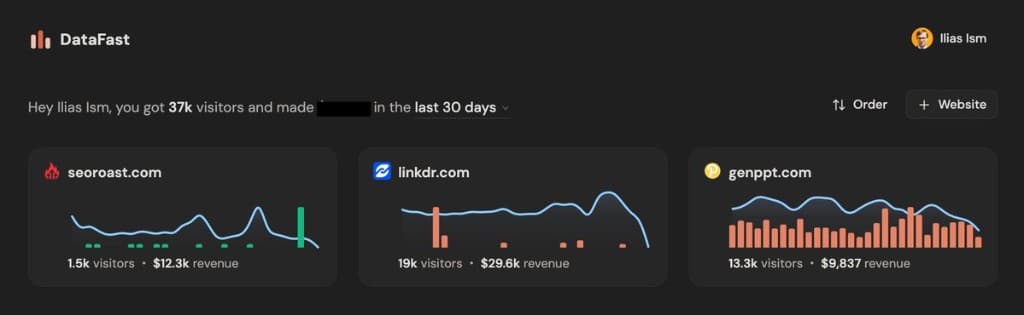
My DataFast overview. Visitors are nice. Revenue is nicer.
What DataFast does well
DataFast connects your website analytics with your payments.
That means you can plug in Stripe, LemonSqueezy, Polar, or Shopify, then see which traffic sources, pages, referrers, countries, and journeys lead to actual revenue.
This is the bit GA4 keeps making weird. GA4 can technically do revenue attribution, sure. A microwave can technically cook steak. We can still ask for better.
DataFast is especially good if you run:
- A SaaS app
- An indie product portfolio
- A paid course
- A newsletter with paid products
- An ecommerce or digital product business
- A “too many little projects, please send help” founder setup
It gives you the founder dashboard you actually want: visitors, revenue, conversion rate, revenue per visitor, pages, sources, funnels, and geography in one place.
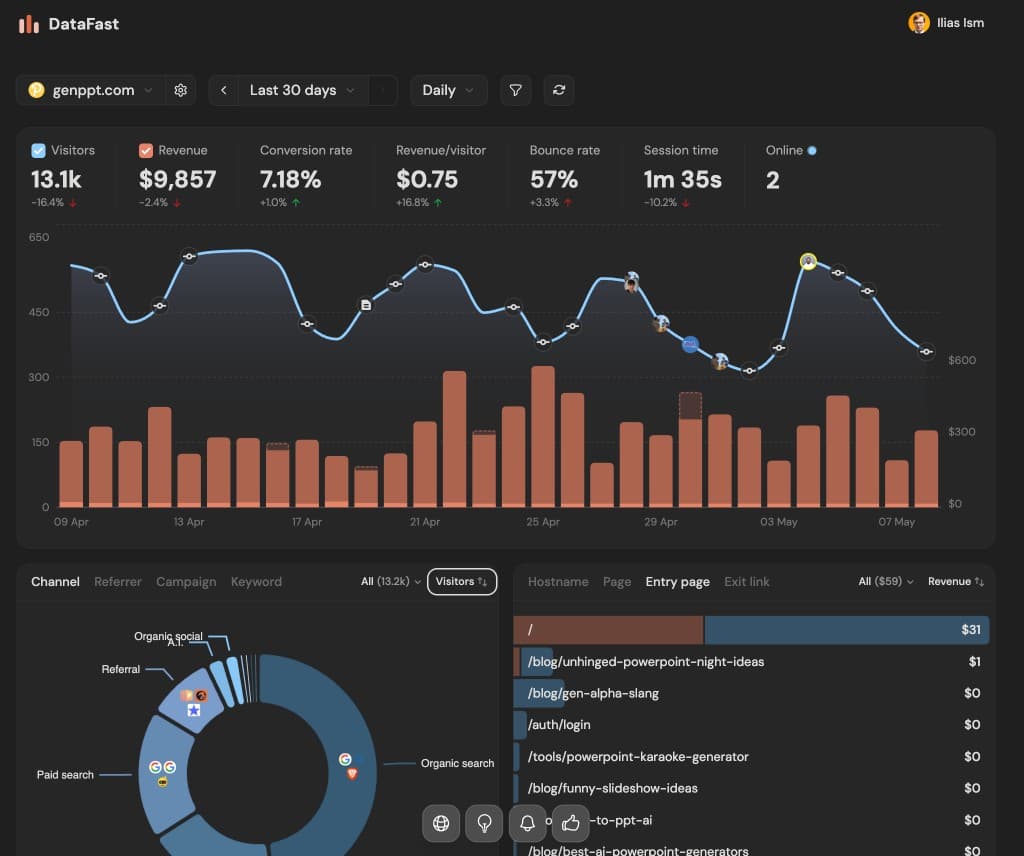
This is the real magic: traffic source plus money data. Organic search looks very different when you can see revenue per visitor.
Why I like it
The killer feature is not “analytics.”
The killer feature is clarity.
You can see:
- Which pages make money
- Which referrers are worth caring about
- Which countries convert
- Which campaign brought customers
- Which funnel step is quietly ruining your day
It also has a live map and funnel views, which are useful when you want to understand where customers are coming from and where they drop off.
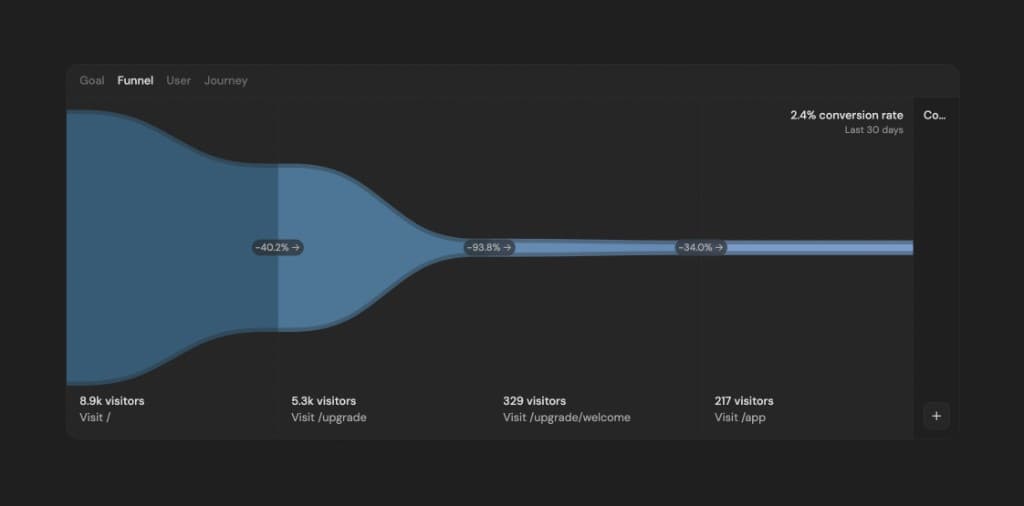
Funnels are where vibes go to die. This is good.
And because the data is clean and visual, it is easy to share results publicly too. I posted my own revenue screenshots on Twitter because founders understand screenshots faster than they understand “multi-touch attribution model.”

Marc shipped a 30-day multi-site overview after we talked about it. This is the kind of founder-built software I like.
DataFast is best for
Use DataFast if you care about revenue more than pageviews.
That sounds obvious, but most analytics tools are still built like pageviews are the main character. They are not. Customers are.
DataFast is not for
If you only run a tiny personal blog and just want to know “did anyone read this?” then DataFast may be more than you need.
Use Plausible, Fathom, or Simple Analytics instead.
2. PostHog
PostHog is what I would use when the question is not just “where did visitors come from?” but “what did users do inside the product?”
It is not only a Google Analytics alternative. It is product analytics, session replay, feature flags, A/B testing, surveys, funnels, cohorts, and a whole little product-growth command center.
That is powerful. Also slightly dangerous if you are the kind of founder who uses dashboards to avoid shipping.
PostHog is best when you have a product with logged-in users and events that matter:
- Signup started
- Signup completed
- Project created
- Invite sent
- Trial started
- Payment failed
- Upgrade clicked
GA4 can track events. PostHog is built around them.
PostHog is best for
Use PostHog if you run a SaaS app and want product behavior, not just website analytics.
It is especially good for product-led growth teams, developers, and founders who want to connect analytics with experiments and feature releases.
PostHog is not for
If you just want a simple blog dashboard, PostHog is probably too much.
You do not need feature flags to learn that Hacker News sent you 19 angry visits.
3. Simple Analytics
Simple Analytics does exactly what the name promises.
It is for people who want the numbers without turning analytics into a part-time job. It is privacy-first, clean, and intentionally limited.
That limitation is the feature.
Not every site needs 47 dimensions, 12 attribution models, and a meeting where someone says “north star metric” too confidently.
Simple Analytics is best for
Use Simple Analytics if you run a blog, content site, portfolio, or simple business website and want essential stats.
It is especially good if you want analytics that your non-technical teammates can read without a training video.
Simple Analytics is not for
If you want product analytics, session replay, or revenue attribution, Simple Analytics is too minimal.
That is not an insult. That is the point.
4. Plausible
Plausible is the cleanest “I am done with Google Analytics” option for a lot of people.
It is lightweight, open source, privacy-friendly, and cookieless. The dashboard is simple enough that a normal human can understand it before coffee.
You get:
- Visitors
- Pageviews
- Sources
- Top pages
- Countries
- Devices
- Goals
- Campaigns
- Google Search Console integration
No labyrinth. No consent-banner drama in many setups. No “why is my own dashboard gaslighting me?” feeling.
Plausible is best for
Use Plausible for blogs, marketing sites, docs sites, and simple SaaS websites where privacy and clarity matter.
It is the safe recommendation when someone asks, “I hate GA4, what should I use?”
Plausible is not for
Plausible is not a deep product analytics suite. If you need session replay or feature flags, look at DataFast, PostHog, or Rybbit.
5. Fathom
Fathom is another excellent privacy-first Google Analytics alternative.
It is simple, fast, cookieless, and popular with indie makers, agencies, and people who want analytics to be done in ten minutes.
Fathom feels slightly more business-polished than hacker-minimal. If you manage multiple client sites, that can be a good thing.
Fathom is best for
Use Fathom if you want simple privacy-first analytics across multiple sites and do not want to self-host anything.
It is a strong pick for agencies, consultants, and indie makers.
Fathom is not for
Fathom is not where I would go for deep SaaS product behavior or revenue attribution.
It tells you what is happening on the site. It does not replace your product analytics stack.
6. Rybbit
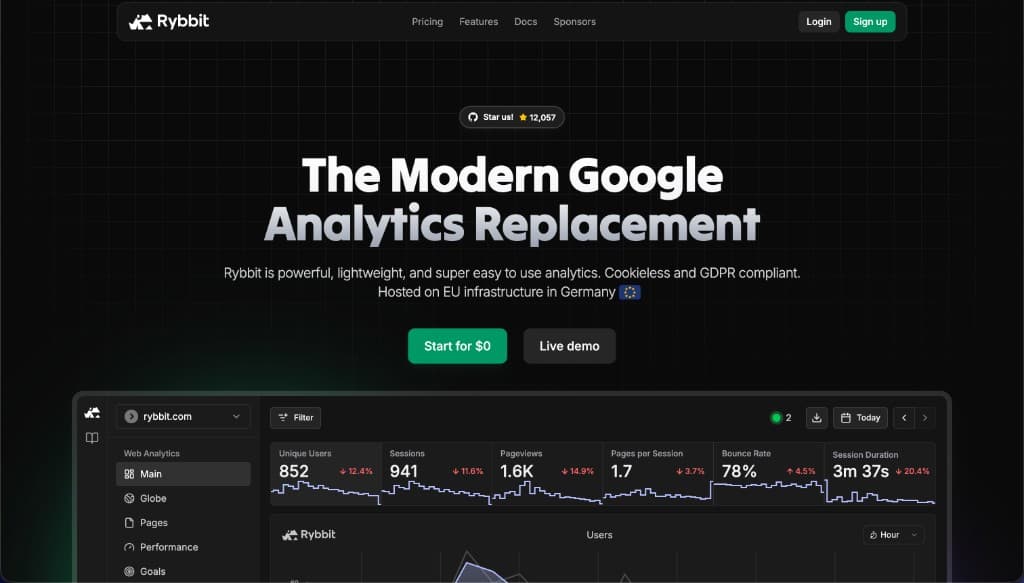
Rybbit is one of the more interesting newer options.
Think of it as the “I like Plausible, but I also want more depth” category.
It has privacy-friendly analytics, but also features you normally expect from heavier tools:
- Session replay
- Funnels
- User journeys
- Web Vitals
- Goals
- Custom events
- Error tracking
- Self-hosting
That combination is useful. A lot of founders start with simple analytics, then immediately ask “okay, but where did users drop off?” Rybbit tries to answer that without becoming GA4 wearing a fake mustache.
Rybbit is best for
Use Rybbit if you want modern website analytics with funnels and replay, but still care about privacy and simplicity.
It is a good “Plausible plus” option.
Rybbit is not for
If all you need is a lightweight pageview counter, Rybbit may be more than you need.
If you need feature flags and product experiments, PostHog is still the bigger product stack.
7. Matomo
Matomo is the grown-up open-source Google Analytics replacement.
It has been around forever, formerly as Piwik, and it is still one of the best choices if you want a full analytics suite without giving your data to Google.
Matomo can do a lot:
- Web analytics
- Ecommerce tracking
- Funnels
- Heatmaps
- Session recordings
- Form analytics
- Tag management
- Google Analytics import
- Self-hosting
This is the “we need compliance, ownership, and features” option.
Matomo is best for
Use Matomo if you are an enterprise, government, university, healthcare org, or serious business that wants control and a complete GA replacement.
It is also good if self-hosting is a requirement, not a hobby.
Matomo is not for
Matomo is heavier than Plausible, Fathom, Simple Analytics, or DataFast.
If you are a solo founder and just want to see which landing page prints money, start with DataFast or Plausible.
8. Umami
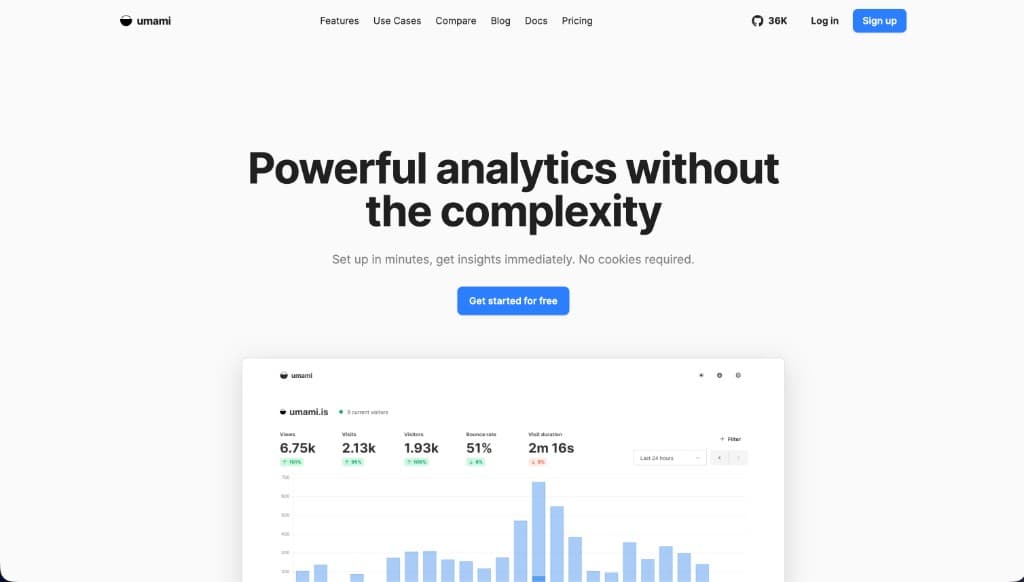
Umami is a clean open-source analytics tool that developers like.
It is lightweight, simple, self-hostable, and modern. If you have a VPS and enjoy owning your stack, Umami is a nice option.
It covers the basics well:
- Pageviews
- Visitors
- Referrers
- Pages
- Devices
- Countries
- Custom events
It does not try to be a revenue platform or product analytics universe. Bless.
Umami is best for
Use Umami if you are a developer who wants a simple self-hosted analytics setup.
It is good for personal projects, small apps, side projects, and privacy-conscious sites.
Umami is not for
If you do not want to maintain infrastructure, use Plausible, Fathom, Simple Analytics, or DataFast.
Self-hosting is fun until your analytics container becomes your weekend.
9. Cloudflare Web Analytics
Cloudflare Web Analytics is the “free and good enough” option.
If your site already sits behind Cloudflare, setup is automatic. Other sites add a JS snippet. You get basic traffic analytics and Web Vitals without adding a heavy script or paying another subscription.
It is not fancy. That is the pitch.
Cloudflare Web Analytics is best for
Use Cloudflare Web Analytics if you want free, privacy-friendly, basic analytics and you already use Cloudflare.
It is also useful as a sanity check when another analytics tool looks suspicious, though Cloudflare samples older data, so do not expect exact counts.
Cloudflare Web Analytics is not for
It is not the tool for revenue attribution, detailed funnels, product events, or customer journeys.
It answers “what happened?” not “what made money?”
10. Microsoft Clarity
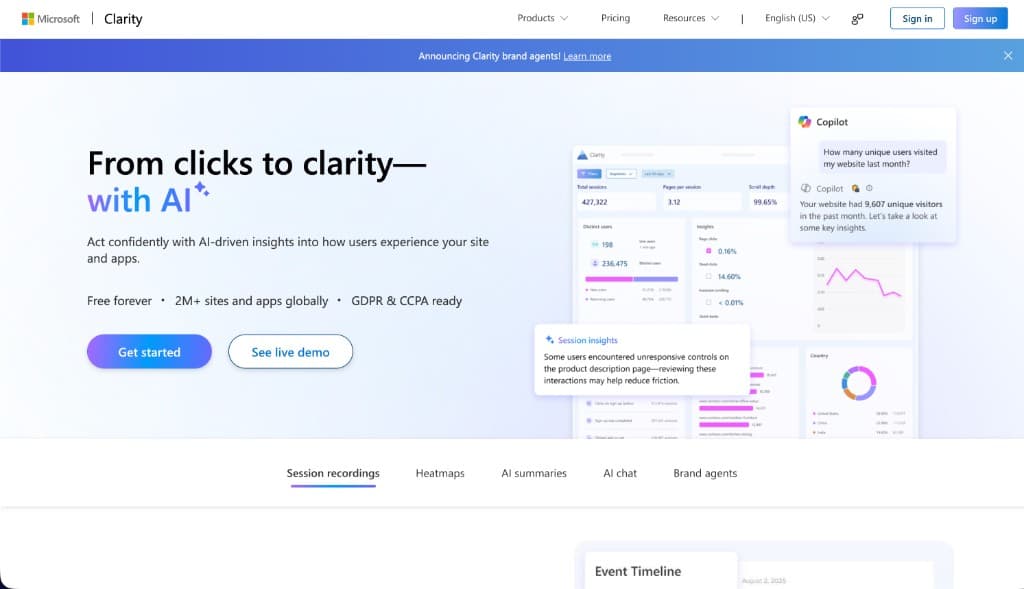
Microsoft Clarity is free and surprisingly useful.
It is not a clean replacement for Google Analytics by itself. It is more of a behavior layer: heatmaps, session recordings, rage clicks, scroll depth, and the weird little moments where users reveal that your UI is not as obvious as you thought.
Painful. Useful.
Clarity works well alongside another analytics tool. Pair it with DataFast, Plausible, or Fathom and you get both:
- What traffic did
- What users physically did on the page
Microsoft Clarity is best for
Use Clarity when you want session replays and heatmaps without paying Hotjar money.
It is great for landing pages, signup flows, pricing pages, and onboarding screens.
Microsoft Clarity is not for
Do not use Clarity as your only analytics brain.
It shows behavior, but it does not give you the same clean revenue, traffic, and funnel picture as a main analytics product.
What I Would Pick
For my own projects, I care about revenue first.
That means DataFast is the default analytics tool I want open. If I am looking at traffic and cannot see revenue next to it, I feel like I am missing the punchline.
My practical stack would be:
- DataFast for revenue, traffic sources, Stripe, Lemon Squeezy, funnels, and customer journeys
- PostHog for product events, feature flags, experiments, and session replay inside SaaS apps
- Plausible or Fathom for simple marketing sites
- Microsoft Clarity when I need heatmaps and recordings
- Cloudflare Web Analytics as a free baseline
Most people do not need all of these.
Pick the tool that answers your real question.
If your question is “how many people visited?” use Plausible, Fathom, Simple Analytics, Umami, or Cloudflare.
If your question is “what did users do?” use PostHog or Rybbit.
If your question is “what made money?” use DataFast.
That last question is usually the one that matters.
FAQ
What is the best free alternative to Google Analytics?
Cloudflare Web Analytics and Microsoft Clarity are free, and Umami and Matomo are free if you self-host. PostHog has a free tier, and Simple Analytics and Umami Cloud have free plans. Rybbit is free only if you self-host. For a paid tool with no cookie banner, Plausible, Fathom, and Simple Analytics start at about $9-$20 a month depending on traffic.
Is there a GA4 alternative that does not need a cookie banner?
Yes. Plausible, Fathom, Simple Analytics, and Umami are built to work without cookies or personal data, which is why many sites use them without a consent banner. Check your own legal requirements, especially in the EU.
Can I run Google Analytics and an alternative at the same time?
Yes. Many sites run a privacy-friendly tool next to GA4 while they compare numbers, then remove GA4 once they trust the new data.
Which Google Analytics alternative shows revenue by traffic source?
DataFast connects to Stripe, LemonSqueezy, Polar, and Shopify and shows which sources, pages, and countries bring paying customers, not just visitors.