
Chrome extension·Free & open source·100% local
See what Googlebot actually renders.
Enforce any site's robots.txt live in Chrome. Block disallowed CSS, JavaScript, and images in real time, optionally spoof Googlebot or AI crawlers, and test fixes before deploying.

The blind spot
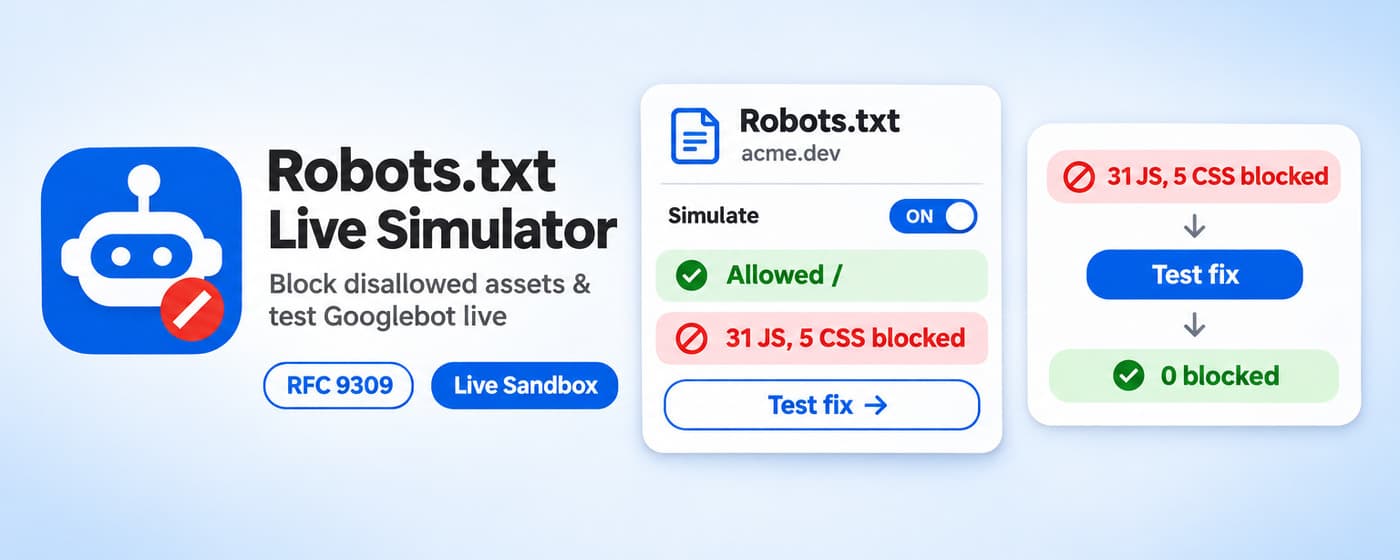
A single Disallow line can break Googlebot rendering
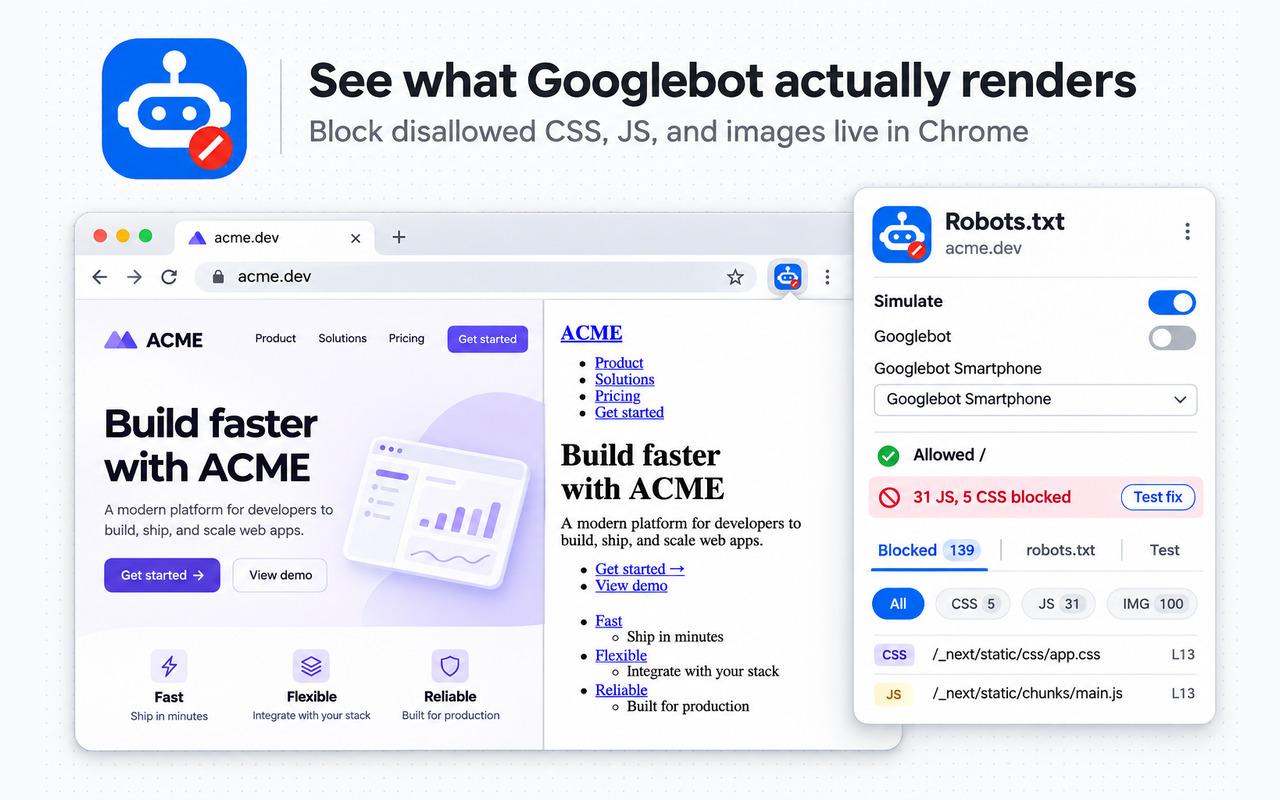
Add Disallow: /_next/ or Disallow: /assets/ to robots.txt and your site still looks fine in Chrome. Meanwhile, Googlebot drops every stylesheet and script under that path and sees an unstyled HTML shell. Robots.txt Live Simulator makes that breakage visible immediately inside your active tab.
Workflow
How it works
- Step 01
Turn on Simulate
Open any website, click the toolbar icon, and toggle Simulate. The tab reloads without cache with live
robots.txtrules enforced. - Step 02
Inspect blocked CSS & JS
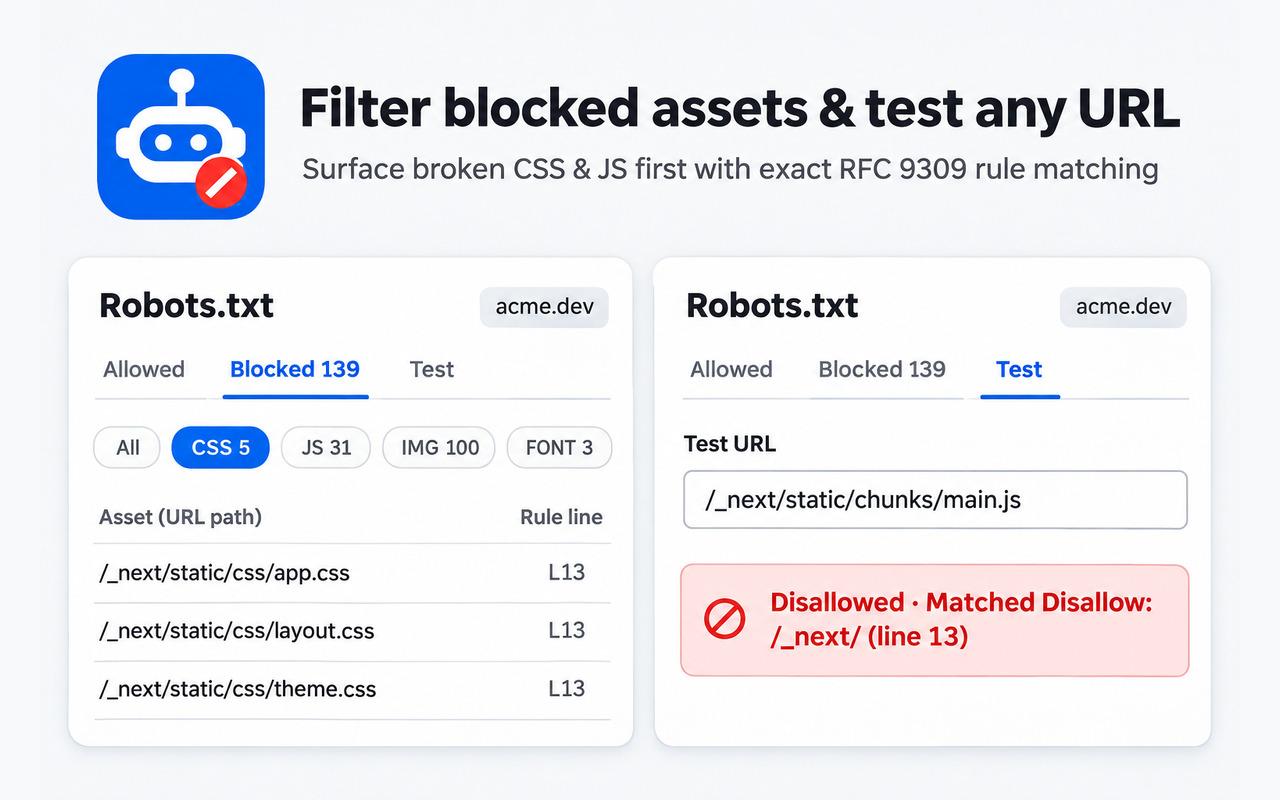
Filter blocked requests by type, see exact rule line numbers, and optionally toggle Googlebot to spoof the HTTP User-Agent header.
- Step 03
Test the fix live
Click Test fix (or edit rules directly in the
robots.txttab) to verify the page renders cleanly before deploying.
Capabilities
What you get
RFC 9309 engine
Real network-level blocking
Enforces robots.txt per tab using Chrome declarativeNetRequest session rules following RFC 9309: longest match wins, Allow wins ties, and * / $ wildcards work identically to Googlebot.
Crawler presets
One-click Googlebot & AI bots
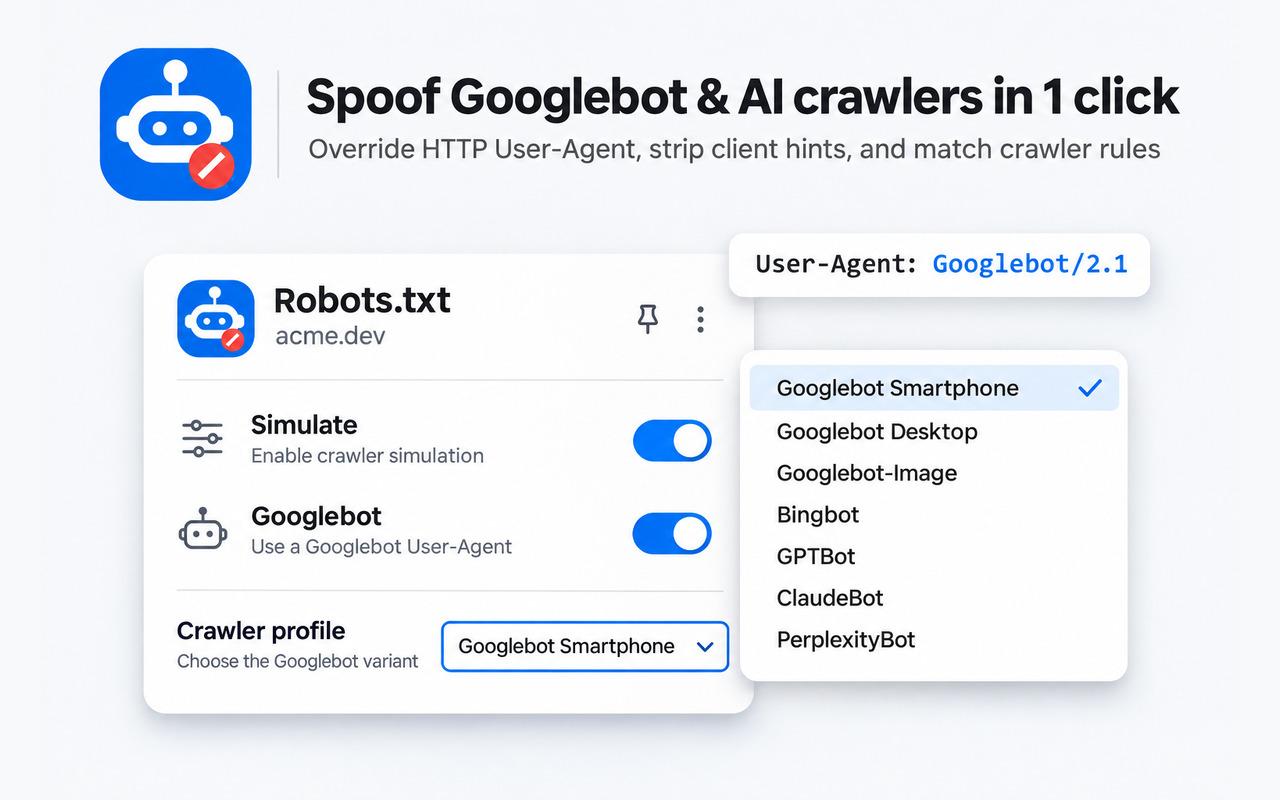
Switch between Googlebot Smartphone, Googlebot Desktop, Googlebot-Image, Bingbot, GPTBot, OAI-SearchBot, ClaudeBot, and PerplexityBot. Overrides HTTP User-Agent, strips Sec-CH-UA client hints, and sets navigator.userAgent.
Local sandbox
Test fixes before deploying
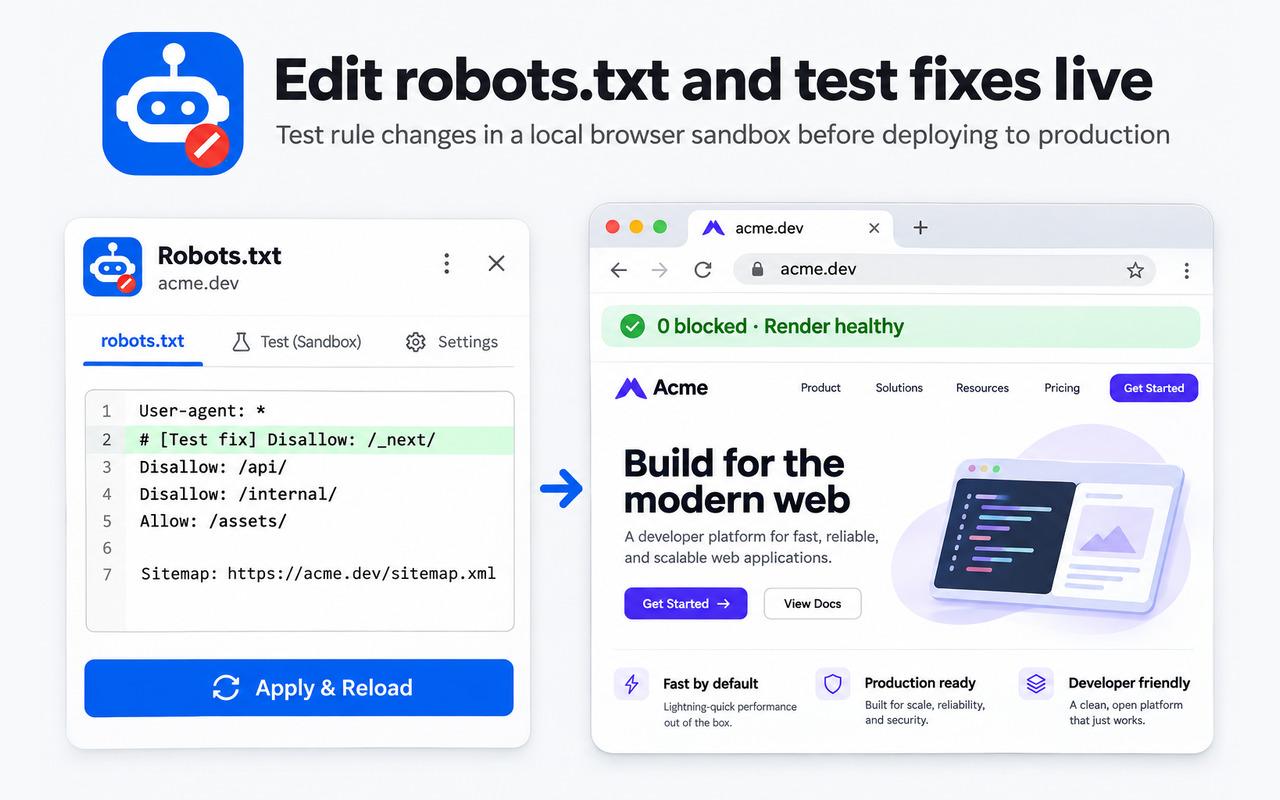
When JS or CSS is blocked, press Test fix to comment out the offending Disallow line in a local override copy and reload instantly without touching production.
Signal over noise
Filterable blocked asset table
Blocked requests sort critical render blockers (DOC, CSS, JS) above images and fonts, with clickable filter chips and exact robots.txt line numbers.
Indexability
Meta robots & SEO warnings
Reads <meta name="robots"> and googlebot tags alongside robots.txt so noindex pages are flagged immediately.
Audit workflow
One-click report export
Copy a plain-text SEO audit summary with domain, crawler, blocked asset counts by type, and matched Disallow lines in one click.
Setup
Install
Free Chrome extension (Chrome 116 or later). Runs locally with zero accounts or telemetry.
- Install from the Chrome Web Store (or download
robots-simulator-1.0.0.zipfrom the GitHub v1.0.0 release). - Pin the extension to your Chrome toolbar.
- Open any
http://orhttps://page and toggle Simulate.
Troubleshooting
Support
Common questions
- Page still looks styled: click the circular refresh button in the popup to force a cache-bypassing reload.
- 0 blocked requests: check the
robots.txttab to verify whether rules apply to the selected crawler. - Does Test fix change production?: no. It only overrides the local tab session until you press Reset or close the tab.
Questions
FAQ
- Is Robots.txt Live Simulator free?
- Yes. Free and open source under MIT on GitHub.
- Does Test fix edit my live website?
- No. It edits a local session copy of robots.txt inside your browser tab. Press Reset to return to the live file.
- Why does normal Googlebot User-Agent switching not catch this?
- Standard browsers and User-Agent switcher extensions never enforce robots.txt. Even when spoofing Googlebot, Chrome still downloads blocked CSS and JS unless an extension enforces the rules.
- Does it send my browsing data anywhere?
- No. Everything runs locally in Chrome. Session state clears automatically when the browser closes, and nothing is sent to external servers.
- Why do I see 0 blocked on a site with Disallow rules?
- Press the refresh icon in the popup to force a cache-bypassing reload, or check whether the active crawler group allows the current page and its assets.
- What Chrome version is required?
- Chrome 116 or later (Manifest V3 declarativeNetRequest session rules).
Permissions
Privacy policy
Robots.txt Live Simulator runs entirely in your browser and does not collect, store on a server, sell, or share any personal data. Per-tab simulation settings and blocked request logs stay in chrome.storage.session in memory on your device and clear automatically when you close Chrome. There is no analytics, no telemetry, and no remote code.
| Permission | Why |
|---|---|
declarativeNetRequest | Block disallowed requests and optionally set the crawler User-Agent header per tab |
webRequest | Read-only listener to count and list blocked same-origin requests in the popup |
webNavigation | Reset per-load counters on navigation and re-sync rules when a tab changes origin |
scripting | Read meta robots tags and optionally override navigator.userAgent in the simulated tab |
tabs | Read the active tab URL, reload bypassing cache, and clean up rules when a tab closes |
storage | Keep per-tab simulation settings in chrome.storage.session across service worker restarts |
http://*/*, https://*/* | Fetch /robots.txt and enforce rules on whichever website you choose to audit |
Privacy questions: me@il.ly. Last updated November 2026 (v1.0.0).

Test robots.txt and Googlebot live in one click.
Free Chrome extension. Zero accounts, zero telemetry, 100% local RFC 9309 enforcement.
Install on Chrome