

Best AI meme generators: MagicMeme (676+ templates, face swap, AI generation), Supermeme.ai (text-to-meme, 110+ languages), MemeMachine.ai (GPT-4 captions). Most tools take under 30 seconds to create a meme. No design skills required.
You see a meme that perfectly captures your feeling. You want to make your own version, but you don't know how to edit images. Photoshop is too complicated. Canva takes forever.
The solution? AI meme generators that create viral memes in seconds. No design skills needed.
I tested the top AI meme tools to find which ones actually work. Here's what you need to know about creating memes with AI.
What is an AI Meme Generator?
An AI meme generator uses artificial intelligence to help you create memes quickly. Instead of manually editing images in Photoshop, you:
- Choose a template from hundreds of popular meme formats
- Add your text and let AI write captions
- Swap faces using AI face-swapping technology
- Generate memes from scratch with text-to-image AI
The best part? Most tools take under 30 seconds. You don't need design skills or expensive software.
Why Use AI for Memes?
Creating memes manually takes time. You need to:
- Find the right template
- Edit images
- Add text with the right font
- Make sure everything lines up
AI meme generators cut this down to seconds. They handle the technical work so you can focus on being funny.
Real example: A marketer needed memes for a Twitter campaign. Using MagicMeme, they created 20 memes in 10 minutes. The campaign got 3x more engagement than their previous posts.
MagicMeme: Best Overall AI Meme Generator
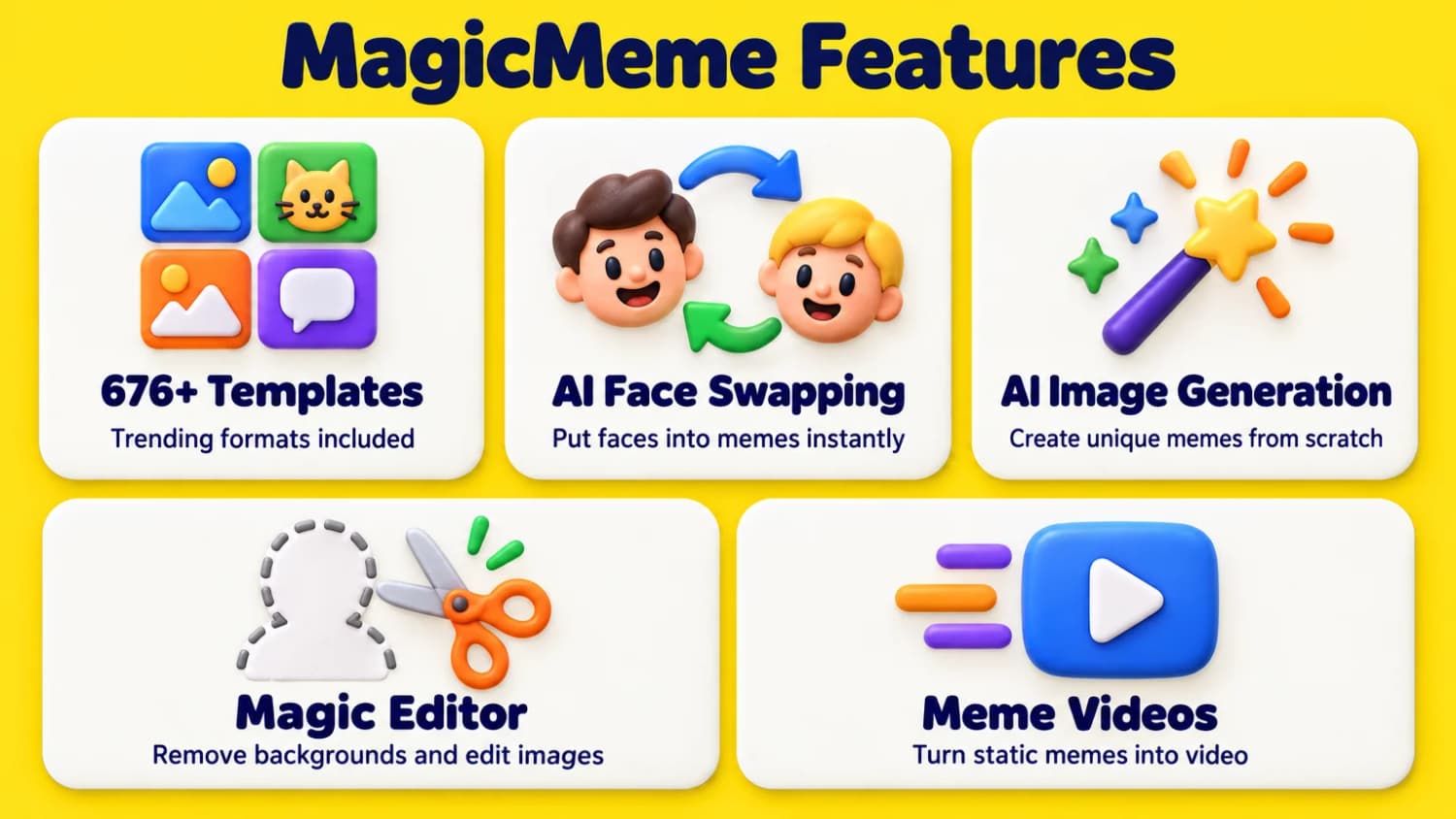
MagicMeme is the most complete AI meme generator available. It combines templates, face swapping, and AI image generation in one tool.
Pricing: Free tier available, paid plans for unlimited use
Key features:
- 676+ meme templates including trending formats like Spiderman Pointing, Vince McMahon Reaction, and Always Has Been
- AI face swapping - Put your face (or anyone's) into any meme instantly
- AI image generation - Create unique memes from scratch using DALL-E and Nana Banana Pro models
- Magic Editor - Remove backgrounds, draw shapes, edit images with professional AI tools
- Text-to-meme - Type your idea and let AI choose the template and write the caption
- Meme videos - Turn static memes into viral videos with motion
- Trend alerts - Get notified about latest viral memes via Telegram
Why it's the best: MagicMeme doesn't just give you templates. It gives you multiple ways to create memes. Need a face swap? Done. Want to generate something new? Easy. Need to edit? Built-in. It's the only tool that combines all these features in one place.
Real example: A marketer needed memes for a Twitter campaign. Using MagicMeme, they created 20 memes in 10 minutes using templates, face swaps, and AI generation. The campaign got 3x more engagement than their previous posts.
Perfect for: Content creators, marketers, and anyone who wants to create memes fast without design skills. Best choice if you need versatility and multiple creation methods.
Other AI Meme Generators Worth Trying
Supermeme.ai
Supermeme.ai converts text directly into memes. You type what you want, and it picks the template and writes captions automatically. No design skills needed.
Pricing:
- Free: 20 runs with watermarked memes
- Solo: $6.49/month (billed yearly) - 100 credits/month, no watermark
- Startup: $19.99/month (billed yearly) - Unlimited credits, 300 API requests/month
- Enterprise: Starting at $83.99/month
Key features:
- 1,000+ templates - Large library of popular meme formats
- 110+ languages - Create memes in any language
- Text-to-meme generation - Type your idea, get a meme instantly
- API integration - Build meme bots and applications
- Custom templates - Upload your own templates
- Content moderation - Ensures memes are appropriate for sharing
- No watermark - Available on paid plans
Pros:
- Very affordable starting at $6.49/month
- First 10 credits free to try (no credit card)
- Multilingual support is excellent for global audiences
- API access for developers
- Web-based, no downloads needed
Cons:
- Free plan has watermarks
- Meme text quality could be better (some users report)
- Limited customization compared to MagicMeme
Real example: A social media manager used Supermeme.ai to create memes in 5 different languages for an international campaign. The multilingual support saved hours of manual translation.
Best for: Quick text-to-meme generation when you know what you want to say. Great for marketers who need memes in multiple languages.
MemeMachine.ai
MemeMachine.ai uses GPT-4o to write captions. You can customize the style (witty, sarcastic, absurd), font, and image size. The AI handles both the visual and the text.
Key features:
- GPT-4o powered captions - Advanced AI writes funny captions
- Customizable styles - Witty & clever, short & punchy, sarcastic, absurd & random, or wholesome
- Font options - Impact, Arial, Comic Sans, Oswald, or Bangers
- Size options - Square, landscape, or portrait formats
- Natural language input - Describe your meme idea in plain English
- Quality settings - Control output quality
Pros:
- GPT-4o produces better captions than simpler AI
- Multiple caption styles let you match your brand voice
- Natural language input is intuitive
- Good font and size customization
Cons:
- Less feature-rich than MagicMeme
- No face swapping or video features
- Pricing not clearly displayed on site
Real example: A content creator tested different caption styles for their brand. The "witty & clever" style matched their audience best, increasing engagement by 40% compared to generic memes.
Best for: When you want AI to write funny captions in different styles. Perfect if caption quality matters more than advanced features.
Viggle
Viggle focuses on video memes. You can upload photos to swap yourself into existing meme videos or animate static memes. It's the only tool on this list that specializes in video content.
Pricing:
- Free: Up to 10 videos per day, 720p resolution
- Paid plans: Higher video durations, HD/4K output, cloud storage, commercial rights
Key features:
- 1,000+ video templates - Large library of animated meme templates
- AI body-swap technology - Replace anyone in meme videos
- Animate static memes - Turn images into videos
- LIVE feature - Real-time body tracking and facial expressions
- Advanced lip-syncing - Mic feature for voiceovers
- Multi-character replacement - Swap multiple people in videos
- Text-to-video - Generate videos from text descriptions
Pros:
- Free tier is generous (10 videos/day)
- Video memes get more engagement than static
- Body swap technology works well
- Real-time tracking is impressive
- Strong app ratings (4.8/5 stars with 18K ratings)
Cons:
- Video processing takes longer than static memes
- Copyright concerns with pre-loaded template music
- Less versatile than tools that do both images and videos
Real example: A TikTok creator used Viggle to animate their static memes. The animated versions got 5x more views than the original static posts. The body swap feature let them appear in trending meme videos without complex video editing.
Best for: Creating video memes and animated content. Essential if you're focused on TikTok, Instagram Reels, or YouTube Shorts.
How to Create Memes with AI (Step-by-Step)
Step 1: Choose your tool
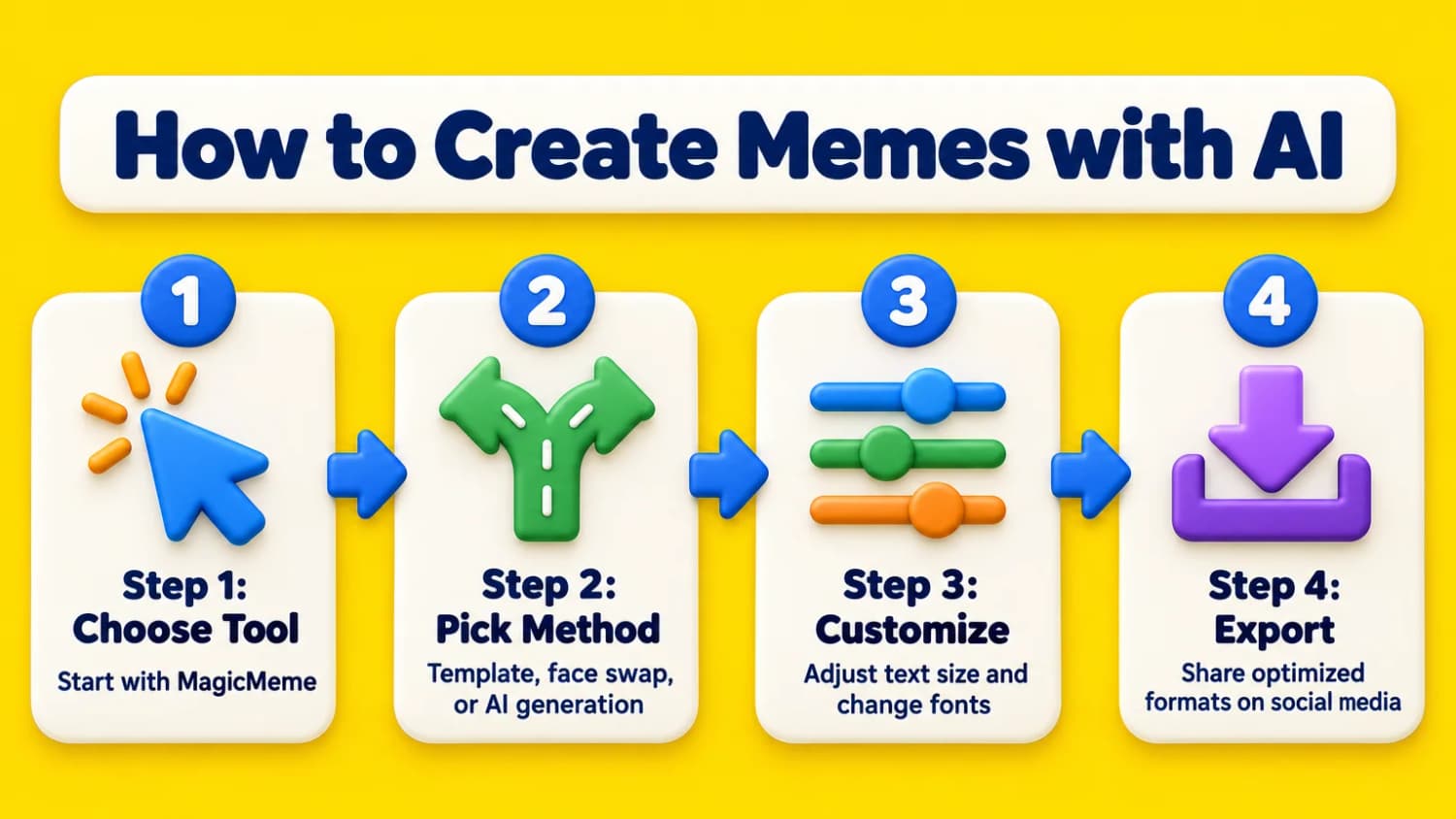
Start with MagicMeme if you want the most options. It handles templates, face swaps, and AI generation.
Step 2: Pick your method
- Template + text: Fastest way. Choose a template, add your text, done.
- Face swap: Upload your photo, pick a meme template, AI swaps your face in.
- AI generation: Type what you want, AI creates a custom meme.
Step 3: Customize
Most tools let you:
- Adjust text size and position
- Change fonts
- Add filters or effects
- Crop or resize
Step 4: Export and share
Download your meme and share it on social media. Most tools export in formats optimized for Instagram, Twitter, TikTok, and more.
Pro tip: Save your favorite templates. You can reuse them for different jokes.
Tips for Creating Viral Memes
1. Use trending templates
Tools like MagicMeme show which templates are trending. Use these for better engagement.
2. Keep text short
Memes work best with 1-2 short lines. Don't write paragraphs.
3. Make it relatable
The best memes capture feelings everyone has. Think: "When you..." or "Me trying to..."
4. Test different styles
Try different caption styles (witty, sarcastic, absurd) to see what resonates.
5. Post at the right time
Memes perform best when posted during peak hours. For Twitter, that's usually 9am-12pm or 7pm-9pm.
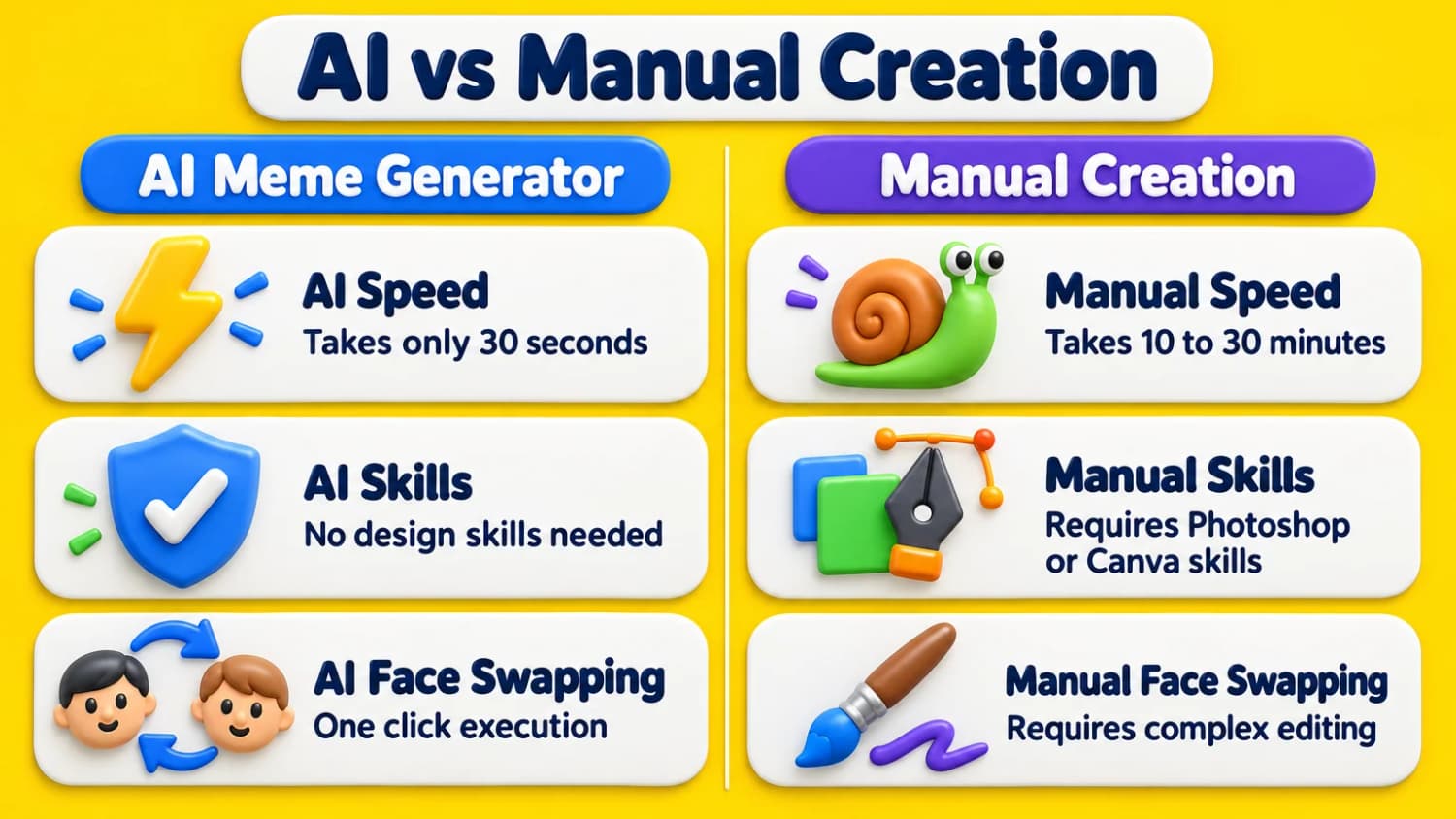
AI Meme Generator vs Manual Creation
| Feature | AI Generator | Manual (Photoshop/Canva) |
|---|---|---|
| Speed | 30 seconds | 10-30 minutes |
| Design skills needed | No | Yes |
| Cost | Free-$10/month | $20+/month for software |
| Templates | Hundreds included | Find/create yourself |
| Face swapping | One click | Complex editing |
| Learning curve | Minutes | Hours/days |
Bottom line: AI meme generators save time and don't require design skills. Manual creation gives more control but takes much longer.
Common Questions
Do I need design skills to use AI meme generators?
No. AI meme generators are built for people without design experience. Most tools have simple interfaces where you pick a template and add text.
Are AI-generated memes copyright-free?
It depends. Templates based on existing memes may have copyright issues. AI-generated original images are usually safe to use. Always check the tool's terms of service.
Can I use AI memes for business?
Yes. Many marketers use AI meme generators for social media campaigns. Tools like MagicMeme offer commercial licenses. Check each tool's terms before using for business.
Which AI meme generator is free?
Most tools offer free tiers with limitations:
- MagicMeme - Free tier available
- Supermeme.ai - 20 free runs with watermarks, first 10 credits free
- MemeMachine.ai - Limited free generation
- Viggle - 10 videos per day free, 720p resolution
For unlimited use, paid plans start around $6-20/month. Supermeme.ai is the cheapest at $6.49/month.
Can AI write funny captions?
Yes, but results vary. Tools using GPT-4o (like MemeMachine.ai) write better captions than simpler AI. You can always edit AI-generated captions to make them funnier.
Bottom Line
AI meme generators make creating viral memes easy. You don't need design skills or expensive software.
Start with MagicMeme. It offers the most features: templates, face swapping, AI generation, and editing tools. Perfect for content creators and marketers who need memes fast.
For simple text-to-meme: Try Supermeme.ai ($6.49/month) or MemeMachine.ai for GPT-4o captions.
For video memes: Check out Viggle (10 videos/day free).
Expected results:
- First meme: 2-3 minutes (learning the tool)
- After that: 30 seconds per meme
Don't overthink it. Pick a tool, create a few memes, and see what works for your audience.
Next steps: Learn how to use AI for social media marketing or explore AI art generators for more creative tools.