


You just published a new blog post. You spent hours writing it. You optimized every keyword. You added internal links.
But Google hasn't indexed it yet.
That means your post doesn't exist in search results. Zero traffic. Zero readers. All that work wasted.
Here's the problem: Google processes millions of new pages every day. Your content gets lost in the queue. It can take weeks or even months for Google to find and index your pages naturally.
But you don't have to wait.
A Google indexing tool pushes search engines to crawl your pages sooner. Paid indexers claim results in minutes; the free official tools are slower but safe.
This guide covers the six best website indexing tools and which one fits your needs, budget, and technical skills. For the rest of the stack, see my SEO tools guide.
Quick comparison:
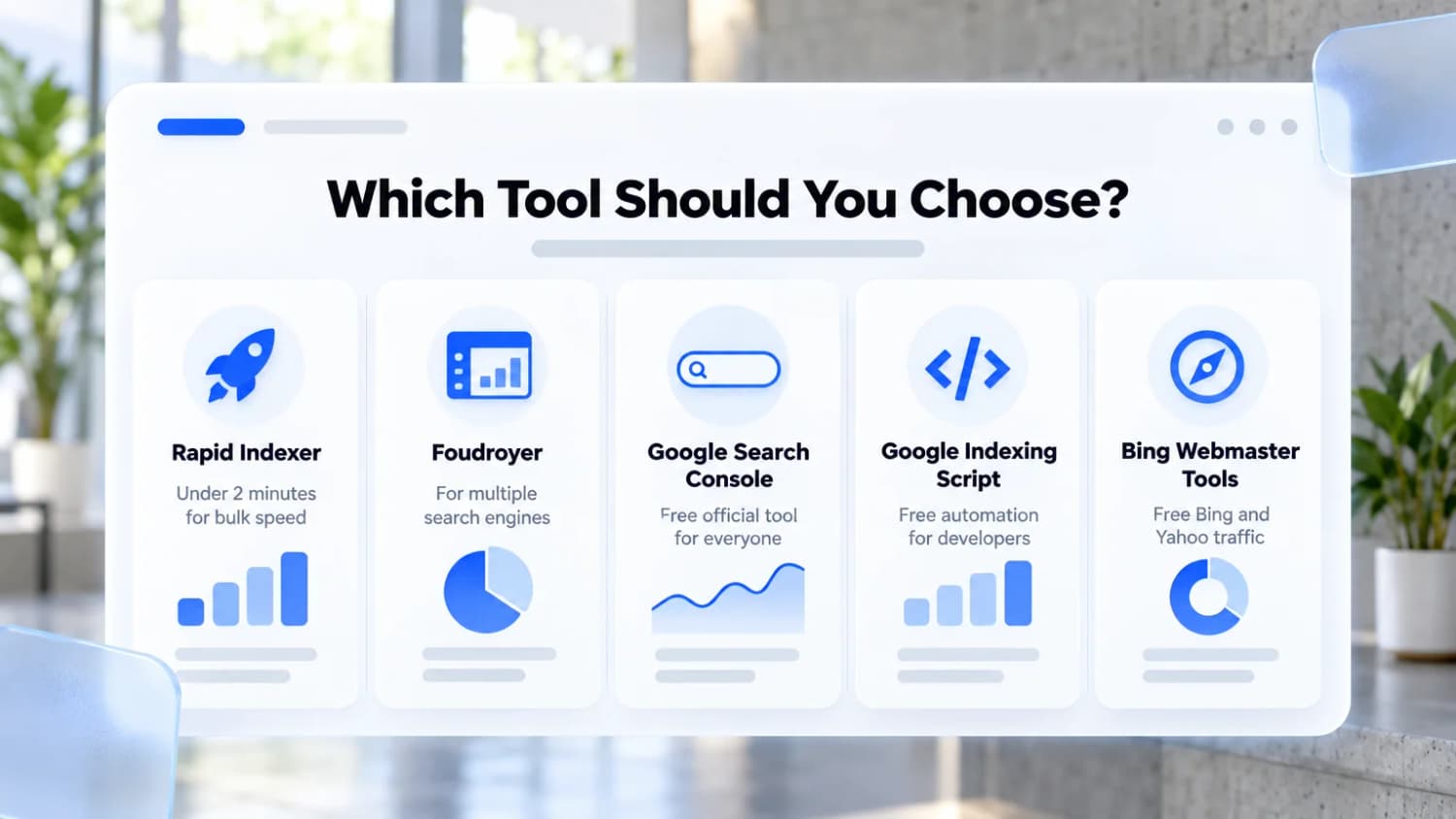
- Rapid Indexer - Fastest option (under 2 minutes)
- Foudroyer - Best for multiple search engines
- Google Search Console - Free official tool
- Google Indexing Script - Free for developers
- Bing Webmaster Tools - Free for Bing, Yahoo, and ChatGPT search
- IndexNow - Free instant submission to Bing, Yandex, and others
Let's dive in.
1. Rapid Indexer
Rapid Indexer is the fastest indexing tool you can buy. It gets your URLs crawled in under 2 minutes using Google's official API.
How it works: Rapid Indexer sends priority signals to Google. It tells Google your pages are important and need immediate attention. This moves your URLs to the front of the crawl queue.
What you get
- VIP queue: Index URLs in under 2 minutes
- Bulk processing: Handle 10,000+ URLs at once
- Real-time checking: See if your pages are actually indexed
- API access: Automate with Zapier or Make.com
- Credits back: submissions that fail on the vendor's side are returned as credits
Who it's for
- SEO agencies managing many clients
- Link builders who need fast backlink indexing
- E-commerce sites launching new products
- Anyone who needs speed
Example: You publish a product page on Monday. You submit it to Rapid Indexer's VIP queue. By Monday afternoon, Google has crawled it. Your page starts appearing in search results the same day.
Pricing: $0.02 per URL on the standard queue (within 48 hours), $0.10 per URL on the VIP queue. Credits never expire. Submissions that fail on the vendor's side are returned as credits; a URL Google declines to index is not refunded.
2. Foudroyer
Foudroyer does more than indexing. It's an all-in-one SEO dashboard that works with Google, Bing, Yandex, and Naver.
Why it's different: Most tools only work with Google. Foudroyer connects to multiple search engines. You manage everything from one place.
What you get
- Multi-engine support: Google, Bing, Yandex, and Naver
- SEO analytics: Track rankings and performance
- Free plan: Great for testing
- Unified dashboard: One place for all your data
Who it's for
- Businesses targeting international markets
- SEO pros who need analytics too
- Sites targeting Asian search engines
- People who want one tool for everything
The catch: Setup is more complex. You need to connect API accounts for each search engine. But once it's done, everything runs automatically.
Pricing: Free plan available. Paid plans start for advanced features.
3. Google Search Console
Google Search Console is Google's free official tool. Every website owner should use it.
Why you need it: Even if you use other tools, Search Console shows you what Google sees. You can spot indexing problems before they hurt your traffic.
What you get
- Free forever: No limits on sites
- URL submission: Request indexing for specific pages
- Index reports: See which pages are indexed or have errors
- Performance data: Track clicks, impressions, and rankings
- Security alerts: Get warned about problems
Who it's for
- Everyone. Seriously, use this tool.
The downside: It's slow. Google says indexing usually takes a day or so, but it can take a week or two. And you can only request 10 URLs per day per site.
Pricing: Free.
4. Google Indexing Script
Google Indexing Script is a free, open-source tool for developers. It uses Google's Indexing API to submit URLs automatically.
How it works: You run a command in your terminal. The script submits your URLs to Google. It's completely free, but you need technical skills to set it up.
What you get
- 100% free: No costs ever
- Bulk submissions: Process many URLs at once
- Full control: Customize it however you want
- Direct API: Uses Google's official system
Who it's for
- Developers comfortable with command-line tools
- Technical SEO professionals
- People who want free automation
- Anyone learning how Google's API works
The setup: You need a Google Cloud project. You'll create API credentials. It takes about 30 minutes if you know what you're doing.
Pricing: Free (but requires Google Cloud setup)
Google's Indexing API is officially only for pages with JobPosting or
livestream BroadcastEvent structured data. Using it to push regular blog
posts works for many people, but it is outside Google's guidelines, and
Google has warned it may act on misuse. Use it at your own risk, and never for
large volumes of low-quality pages.
5. Bing Webmaster Tools
Bing Webmaster Tools is Microsoft's free tool for Bing search. Don't ignore Bing: it powers Yahoo and DuckDuckGo results, Copilot, and parts of ChatGPT search.
Why it matters: Bing has about 5% of search traffic (StatCounter, September 2026). That's still millions of searches. If you're not indexed there, you're missing potential visitors.
What you get
- Free URL submission: Submit pages to Bing
- Sitemap import: Copy your Google Search Console sitemaps
- Performance tracking: See how you rank on Bing
- Index reports: Find indexing problems
Who it's for
- Sites targeting Bing/Yahoo traffic
- Multi-engine SEO strategies
- Anyone who wants free Bing indexing
Pro tip: After you set up Google Search Console, import your sitemaps to Bing. It takes 2 minutes and covers both search engines.
Pricing: Free
6. IndexNow
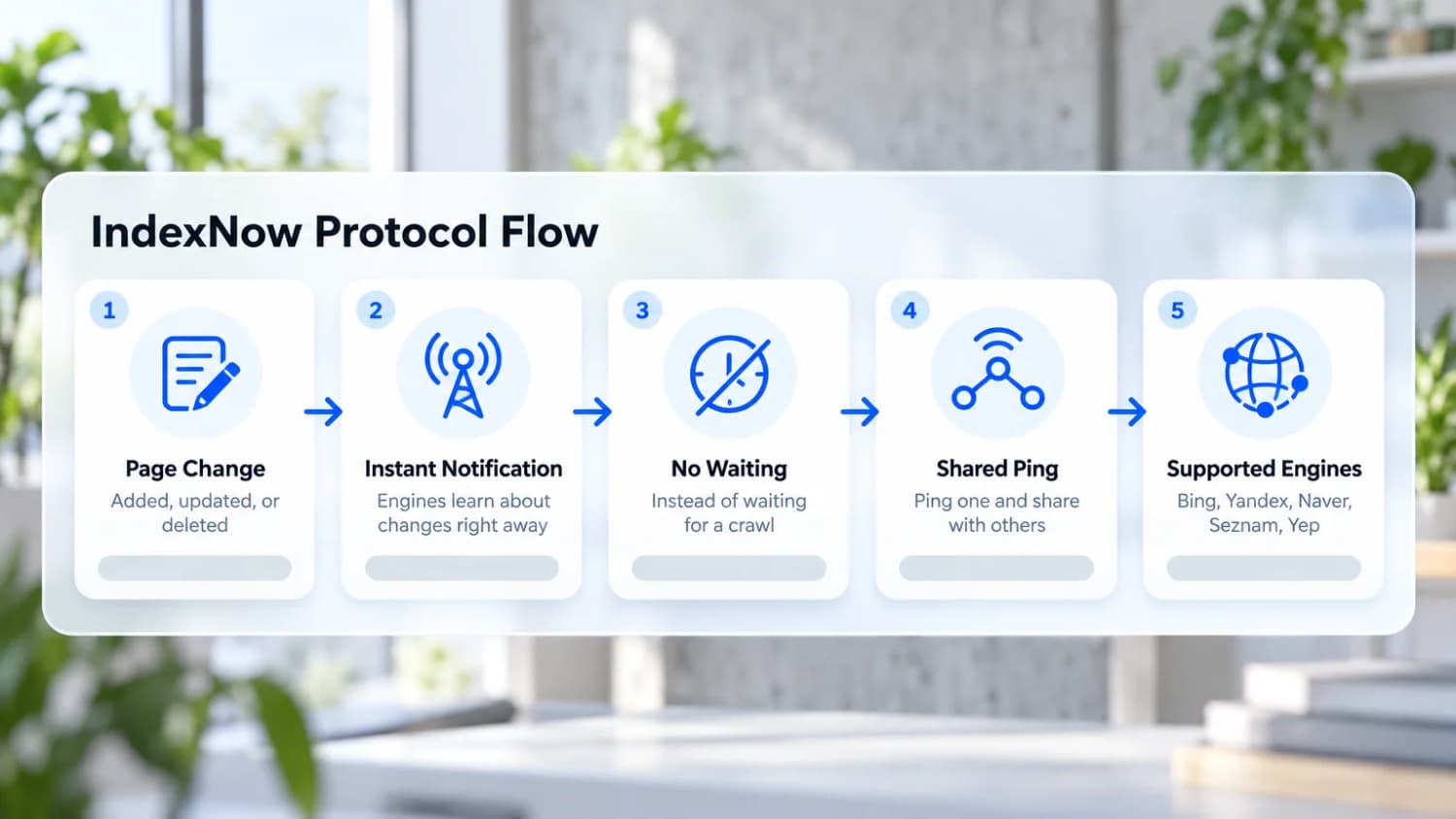
IndexNow is a free, open protocol that lets you tell search engines the moment a page is added, updated, or deleted. Bing, Yandex, Naver, Seznam, and Yep all support it, and a ping to one is shared with the others.
What you get
- Instant notification: Engines learn about changes right away instead of waiting for a crawl
- Free and official: Supported directly by the search engines
- Easy automation: Many CMS platforms and SEO plugins support it out of the box, and Cloudflare can send pings automatically
Who it's for
- Anyone who publishes or updates pages often
- Sites that want fast Bing indexing (and the AI search tools that use Bing)
The catch: Google does not support IndexNow. Pair it with Google Search Console for Google.
Pricing: Free
Which Tool Should You Choose?
Here's how to pick the right tool for your situation:
Choose Rapid Indexer if:
- You need speed (under 2 minutes)
- You manage many URLs
- You want the fastest option
- Budget isn't tight ($0.02 to $0.10 per URL)
Choose Foudroyer if:
- You target multiple search engines
- You want SEO analytics too
- You're okay with complex setup
- You need an all-in-one solution
Choose Google Search Console if:
- You want free
- You're okay waiting days/weeks
- You need official Google data
- You're just starting out
Choose Google Indexing Script if:
- You're a developer
- You want free automation
- You like open-source tools
- You can handle technical setup
Choose Bing Webmaster Tools if:
- You want free Bing indexing
- You already use Google Search Console
- You target Bing/Yahoo traffic
Common Questions
What is a website indexing tool?
An indexing tool submits your URLs to search engines. It tells Google "this page exists, please crawl it." This moves your pages higher in the crawl queue.
Why use one? Google finds pages eventually through sitemaps and links. But that can take weeks. Indexing tools speed this up to hours or days.
Why does indexing matter?
If Google doesn't index your page, it doesn't exist in search results.
You get zero traffic. Your content investment is wasted. You miss revenue opportunities.
Stat: According to Google Search Console data, millions of pages sit in "Discovered - Currently Not Indexed" status for months without help.
How fast can I get indexed?
- Rapid Indexer VIP queue: Under 2 minutes
- Rapid Indexer standard: 24-48 hours
- Google Search Console: usually a day or so, up to a week or two
- Natural discovery: Weeks or months
Can I re-index updated pages?
Yes. When you update important pages, you should re-index them. Use Google Search Console for single pages. Use Rapid Indexer for bulk re-indexing.
Are these tools safe?
Yes. Mostly, but note that Google says its Indexing API is only for job posting and livestream pages, and abuse can get access revoked. Search Console is the safe default.
Avoid tools that:
- Create fake backlinks
- Use black-hat tricks
- Submit URLs too aggressively
Do I need tools if I have a sitemap?
Sitemaps help, but they're not enough. Google may discover your URLs but still delay indexing. Indexing tools add an importance signal that speeds things up.
Best practice: Use both. Submit sitemaps in Google Search Console AND use indexing tools for important pages.
Final Thoughts
Getting indexed fast matters in 2026. Google's crawl budget is stretched thin. Millions of pages compete for attention. Waiting weeks means missing traffic and revenue.
Here's what to do:
-
Start with Google Search Console. It's free and essential. Every site needs it.
-
Add Rapid Indexer for speed. If you need fast indexing, pay $0.02 to $0.10 per URL. It's worth it for important pages.
-
Use Foudroyer for multi-engine. If you target Bing, Yandex, or Naver, Foudroyer handles everything.
-
Try the free script. Developers can automate indexing for free with the Google Indexing Script.
Remember: Indexing is just step one. After your pages are indexed, focus on quality SEO and building backlinks. But without indexing, none of that matters.
Pick the tool that fits your needs. Start getting your content indexed faster today.