


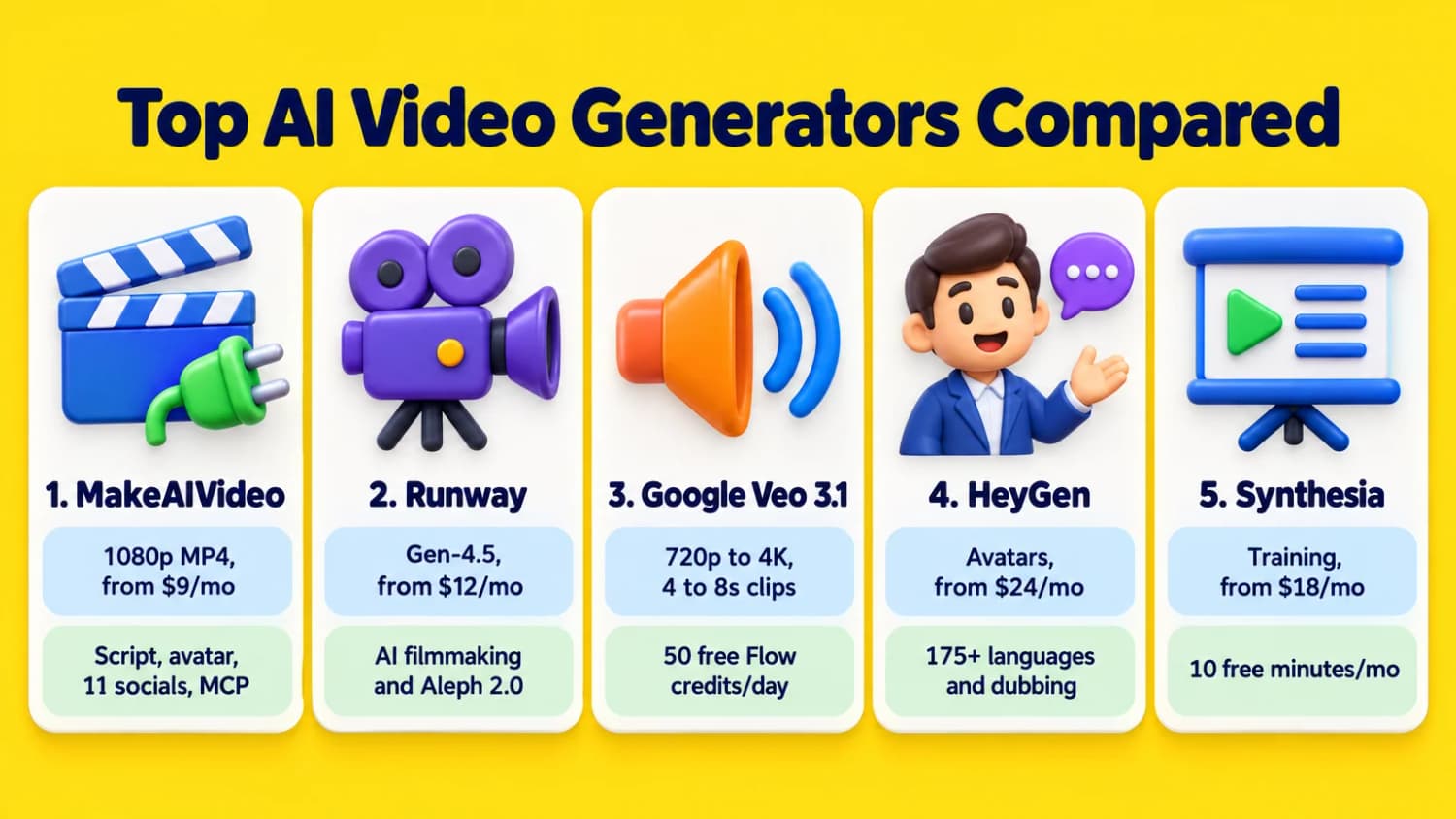
- Best for generating finished videos and auto-posting to 11 networks: MakeAIVideo. Turns a prompt, script, article, or photo into a narrated 1080p MP4 with word-by-word captions, music, AI scenes or stock footage, and talking avatars, plus a 65-endpoint REST API and a 44-tool hosted MCP server on every plan from $9/mo (7-day trial with 350 credits).
- Best for AI filmmaking and video-to-video restyling: Runway. Runs Gen-4.5, Aleph 2.0, Act-Two, Kling 3.0, and Seedance 2.5 from $12/user/mo billed yearly (125 one-time free credits).
- Best for 8-second cinematic clips with native dialogue and daily free credits: Google Veo 3.1. Generates 720p to 4K clips with synchronized speech and sound effects; 50 free Flow credits a day with a Google account.
- Best for talking-head avatars and 175-language dubbing: HeyGen. 700+ stock presenters on paid plans, Avatar IV and V, custom digital twins, and lip-synced translation from $24/mo billed yearly (free for 3 one-minute watermarked videos/mo).
- Best for corporate training and L&D teams: Synthesia. 125+ to 240+ avatars, AI screen recorder, interactive roleplays, and 140+ languages from $18/mo billed yearly (10 free watermarked minutes/mo).
Most "best AI video generator" roundups lump two different categories into one list: raw cinematic model playgrounds that hand you a 5-second clip, and end-to-end video builders that write the script, record the voiceover, burn in captions, and export a finished MP4. Worse, several top-ranking lists still quote retired 2024 plans or leave placeholder notes where the credit math should be.
I checked the live pricing pages, per-second credit costs, max video lengths, commercial licensing rules, and API or MCP access for 10 AI video generators in October 2026.
Disclosure: the Revid AI link is an affiliate link. Every other link on this page, including MakeAIVideo, is a plain non-affiliate link.
Best AI video generators compared
| Tool | Best for | Output and max length | Starting price | Free plan or trial |
|---|---|---|---|---|
| MakeAIVideo | Generating finished narrated videos and auto-posting to 11 networks | 1080p MP4; up to 10 min AI video or 40 min stock-footage video (Plus/Pro) | $9/mo ($99/yr, 600 credits/mo) | 7-day trial (350 credits, card required) |
| Runway | AI filmmaking (Gen-4.5) and video-to-video restyling (Aleph 2.0) | 1080p to 4K upscale; 4 to 10s clips per generation | $12/user/mo yearly ($15 monthly) | Free plan (125 one-time credits) |
| Google Veo 3.1 | 8-second cinematic clips with native dialogue and sound effects | 720p, 1080p, or 4K; 4 to 8s clips (chainable to ~148s via API) | $4.99/mo Google AI Plus (reported); API from $0.10/s | 50 free Flow credits/day |
| HeyGen | Talking-head avatars, custom twins, and 175-language dubbing | 1080p (Creator) or 4K (Pro); up to 30 min (60 min on Business) | $24/mo yearly ($29 monthly, Creator) | Free plan (3 watermarked 1-min videos/mo) |
| Synthesia | Corporate training, L&D roleplays, and SCORM exports | 1080p MP4; ~22 min/mo on Starter, ~70 min/mo on Pro | $18/mo yearly ($29 monthly, Starter) | Basic free plan (10 watermarked min/mo) |
| InVideo AI | Prompt-to-video editing with 16M+ stock assets and timeline tools | Up to 1080p or 4K (Plus/Max); ~15 Seedance 2.0 Fast clips on Starter | $10/seat/mo yearly ($20 monthly) | Free plan (watermarked, no generative models) |
| LTX Studio | Shot-by-shot AI storyboarding, pitch decks, and LTX-2.5 filmmaking | Up to 4K; multi-scene storyboards and 5 to 20s shots | $12/mo yearly ($15 monthly, Lite; $28/mo commercial) | Free plan (800 one-time credits, personal use) |
| Revid AI | Viral short-form social templates, X/Reddit repurposing, and Auto-Mode | Up to 4K; ~25 to 50 thirty-second moving-image videos on Growth | $32/mo yearly ($39 monthly, Growth) | Free signup credits (no free exports) |
| Pictory | Turning webinars, blog URLs, and PPTX decks into stock videos | 1080p MP4; up to 30 min from script/URL (180 min editor upload) | $25/mo yearly ($29 monthly, Starter) | 14-day trial (3 projects up to 5 min, 720p) |
| Kling AI | Realistic image-to-video motion, start/end frames, and native 4K | 720p, 1080p, or native 4K (Kling O3); 3 to 30s clips | $10/mo ($120/yr, reported); API $0.42/s (4K) | Daily free credits (watermarked) |
1. MakeAIVideo
MakeAIVideo is best for turning a single prompt, script, blog post, or product photo into a finished, narrated 1080p video and publishing it straight to your social accounts. Instead of handing you a silent 5-second clip that still needs a voiceover, a subtitle tool, and a timeline editor, MakeAIVideo runs the whole pipeline in one pass: script writing, studio AI narration across 24 languages, a matched AI or stock scene for every beat, word-by-word burned-in captions (plus SRT and VTT downloads), and a 120-track or AI-generated background music track that ducks under the voice.

Every plan unlocks all 16 creation tools in the app: Prompt to Video, Script to Video, Blog to Video, AI Explainer Video, AI Ad Maker (using 1 to 5 real product photos so the model never invents your product), AI UGC Video, Talking Avatar (21 ready-made presenters or your own reference photos), AI Spokesperson, Lip-sync on your own footage, Talking Photo, Image to Video (5- or 10-second clips), Character Swap (3 to 60 seconds), and 15 visual styles including Cinematic, Anime, Ghibli, Pixar 3D, Claymation, and Film Noir. After rendering, you can regenerate a single scene (~50 credits), swap the narrator voice (2 credits/s), or click any word in the transcript to fix a typo without re-rolling the audio.
Where most video generators stop at the MP4 download, MakeAIVideo includes built-in social scheduling to 11 networks (TikTok, Instagram Reels, YouTube and Shorts, LinkedIn, X up to 140 seconds, Facebook Pages, Threads, Pinterest, Bluesky, Telegram, and Discord, powered by PostEverywhere) and full developer access on every tier. Your regular credit balance works across the 65-endpoint REST API, the open-source TypeScript SDK (@makeaivideo/sdk), the CLI (@makeaivideo/cli), and the hosted OAuth MCP server (https://mcp.makeaivideo.ai), which exposes 44 tools inside Claude, ChatGPT, Grok, Claude Code, and Cursor.
- Best for: generating finished, narrated videos (script, voiceover, captions, music) and auto-posting to 11 social networks from the web app or an AI agent
- Modes and output: 16 tools (prompt, script, blog URL, talking avatar, character swap, image-to-video, ad maker, UGC) in 9:16, 1:1, and 16:9 at 1080p MP4 with no watermark; up to 10 minutes for AI-scene and avatar videos, and up to 40 minutes for stock-footage videos on Plus and Pro
- Pricing: Lite $9/mo ($99/yr, ~$8/mo, 600 credits/mo, 2 social accounts, 1 user), Solo $19/mo ($190/yr, ~$16/mo, 1,100 credits/mo, 4 social accounts), Plus $29/mo ($290/yr, ~$24/mo, 1,750 credits/mo, 6 social accounts, 40-min stock videos, Brand Kit logo, 3 seats), Pro $49/mo ($490/yr, ~$41/mo, 3,000 credits/mo, 10 social accounts, 10 seats). Stock-footage videos cost ~4 credits/s (~112 credits for 30s) and full AI videos cost ~22 credits/s (~324 credits for 15s); non-expiring credit top-ups start at $5.
- Free plan or trial: 7-day free trial with 350 credits on every plan (card required, 1080p export, no watermark, cancel before day 7 for $0). Free no-signup idea and hook generators on the site.
2. Runway
Runway is the strongest workspace if you treat AI video like a film shoot and want shot-by-shot camera choreography, character performance transfer, and video-to-video restyling. Its flagship Gen-4.5 model turns text or reference images into 5- to 10-second cinematic clips (spending 12 credits per second, or 60 credits per 5-second take), while Aleph 2.0 lets you upload existing live-action footage and prompt changes to the lighting, weather, camera angle, or objects on screen (140 credits per 5-second clip).
In 2026, Runway also turned its studio into a multi-model hub: one subscription gives you access to Gen-4.5, Act-Two (which maps a recorded human actor's facial expressions, voice inflection, and hand movements onto an AI character), Kling 3.0, Seedance 2.5, Seedance 2.0 Pro and Fast, Nano Banana Pro for images, Lyria 3 for audio, and Topaz AI Upscale on Pro and Max.
The trade-off is that Runway builds individual shots, not complete social videos. You still have to assemble cuts, write scripts, and schedule posts yourself, and monthly credits on the Standard and Pro tiers expire at the end of each billing cycle without rolling over.
- Best for: AI filmmaking, cinematic B-roll (Gen-4.5), and video-to-video restyling (Aleph 2.0)
- Modes and output: Text-to-video, image-to-video, video-to-video (Aleph 2.0), performance capture (Act-Two), and Topaz 4K upscaling; 4- to 10-second clips per pass
- Pricing: Free ($0, 125 one-time credits, watermarked), Standard $12/user/mo billed yearly ($15/mo monthly, 625 credits/mo = ~52s of Gen-4.5, no watermark), Pro $28/user/mo billed yearly ($35/mo monthly, 2,250 credits/mo = ~187s of Gen-4.5, Topaz AI Upscale, Unlimited Seedance 2.5), Max $76/user/mo billed yearly ($95/mo monthly, 9,500 credits/mo = ~791s of Gen-4.5, 1-month credit rollover)
- Free plan or trial: Permanent free tier with 125 one-time credits that never expire.
3. Google Veo 3.1
Google Veo 3.1 is the benchmark raw model when a single 4-, 6-, or 8-second shot needs to generate photoreal motion, spoken dialogue, lip-sync, and room-tone sound effects in the same pass. Put spoken lines inside quotes in your prompt and Veo 3.1 renders the character's voice and mouth movements alongside the footage at 720p, 1080p, or true 4K (24 fps, 16:9 or 9:16).
Inside Google Flow, Google's filmmaking workspace, you can start from text, start and end frames, or "ingredients-to-video", which locks character likeness and props across shots using reference images. Developers calling fal-ai/veo3.1 via API can also chain the extend endpoint up to 20 times (7 seconds per step) for roughly 148 seconds of continuous footage.
Watch out for two constraints: every Veo 3.1 clip carries an invisible SynthID watermark that cannot be disabled, and complex multi-person scenes still trip up audio-to-lip alignment. Like Runway, Veo 3.1 is a shot generator rather than an end-to-end social video publisher; if you later need to pull notes or transcripts out of long finished videos, pair it with an AI video summarizer.
- Best for: 8-second cinematic clips with native dialogue, sound effects, and daily free credits
- Modes and output: Text-to-video, frames-to-video, ingredients-to-video, and clip extension at 720p, 1080p, or true 4K (24 fps)
- Pricing: Free (50 Flow credits/day with a Google account at base resolution); consumer Google AI plans reported at $4.99/mo for Google AI Plus (200 credits, 1080p upscaling), $19.99/mo for Google AI Pro (1,000 credits, no visible watermark), and $99.99/mo for Google AI Ultra (10,000 credits). API access on fal.ai costs $0.20/s without audio or $0.40/s with audio at 720p/1080p ($0.10/s and $0.15/s on Veo 3.1 Fast; $0.40/s to $0.60/s at 4K).
- Free plan or trial: 50 free Flow credits per day with a Google account.
4. HeyGen
HeyGen is the top choice when your video centers on an on-camera presenter reading a script or speaking a translated language. Paid plans give you 700+ stock video avatars, custom digital twins cloned from your own webcam or studio footage, and Avatar IV and Avatar V engines that match facial micro-expressions and hand gestures to your audio.
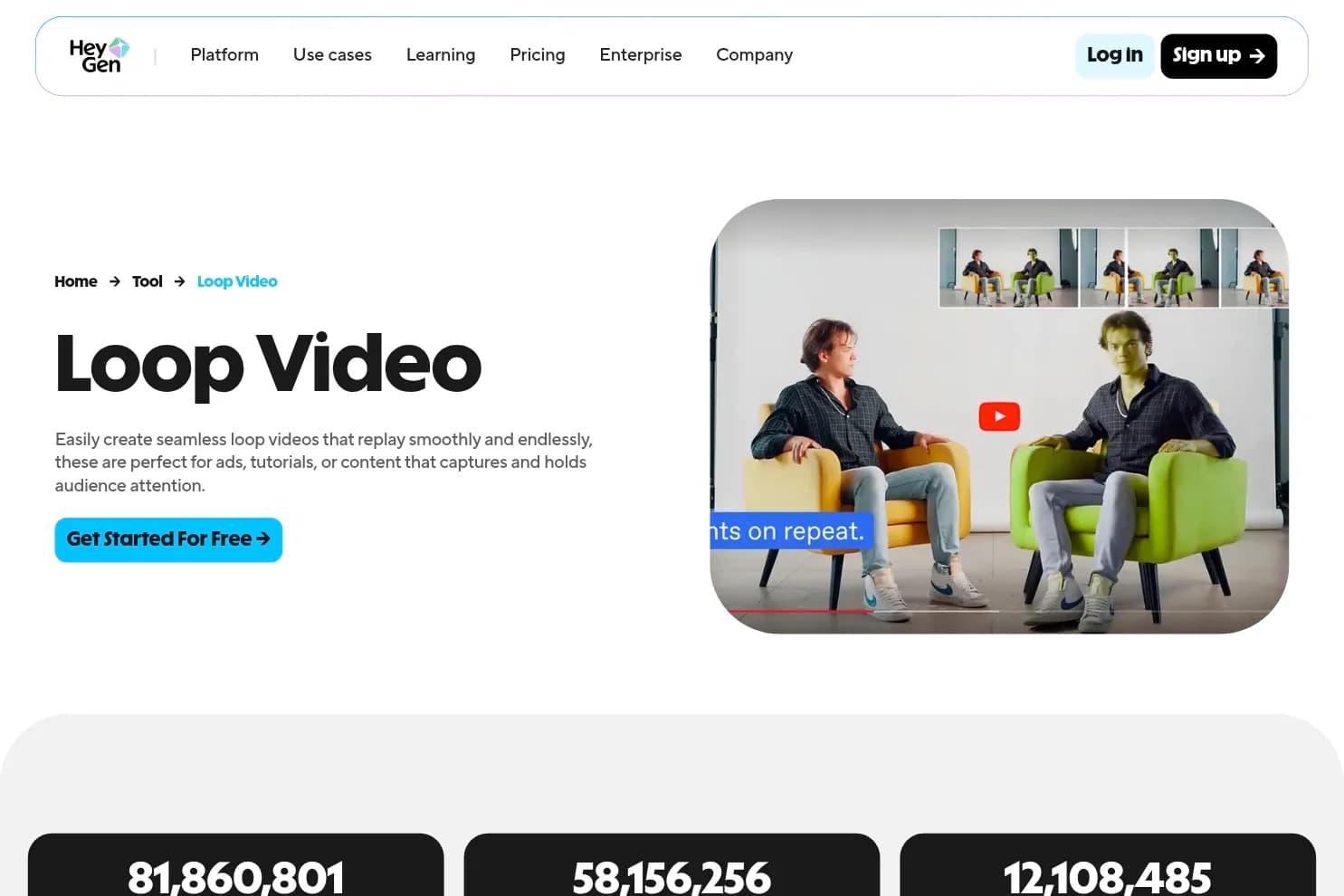
Its standout workflow for growth teams is the Global Language Suite, which translates existing videos into 175+ languages and dialects on Creator and above while reshaping the speaker's lips to match the new track. In 2026, HeyGen's Pro tier ($49/mo) also added Cinematic Avatars, 4K export, and built-in access to Seedance 2.5, Veo 3.1, and Nano Banana without a second subscription.
The downside is how quickly teams hit the Business tier. Creator ($24/mo yearly) and Pro ($49/mo) are single-seat plans; sharing a workspace with teammates, adding a Brand Kit, or exporting SCORM packages requires the Business plan at $149/month plus $20 per extra seat.
- Best for: talking-head AI avatars, custom digital twins, and 175-language video translation with lip-sync
- Modes and output: Stock and custom video avatars, photo avatars, Video Agent, lip-sync translation (175+ languages), and Seedance 2.5 / Veo 3.1 on Pro; up to 30 minutes per video at 1080p (Creator) or 4K (Pro), and 60 minutes on Business
- Pricing: Free ($0, 3 watermarked videos/mo up to 1 min each, 500+ stock avatars, 1 custom avatar, 30+ languages), Creator $24/mo billed yearly ($29/mo monthly, 600 credits/mo, 1080p, no watermark, 175+ languages), Pro from $49/mo (1,000 credits/mo, 4K export, Avatar V, Seedance 2.5, Veo 3.1), Business $149/mo (1,500 credits/mo, 5 custom avatars, +$20/seat/mo). Unused monthly credits roll over for one month (or until renewal on annual plans).
- Free plan or trial: Permanent free plan (3 one-minute watermarked videos/month, no credit card required).
5. Synthesia
Synthesia is built for corporate learning and development (L&D), onboarding, and internal comms teams that turn slide decks and SOP docs into presenter-led training modules. Alongside 125+ stock avatars on Starter (180+ on Pro, 240+ on Enterprise) and 140+ languages, it includes a Chrome extension AI Screen Recorder, Syren (an AI video agent that drafts complete videos from a prompt or PowerPoint), and interactive AI roleplay scenarios where employees practice sales or support calls with an avatar.
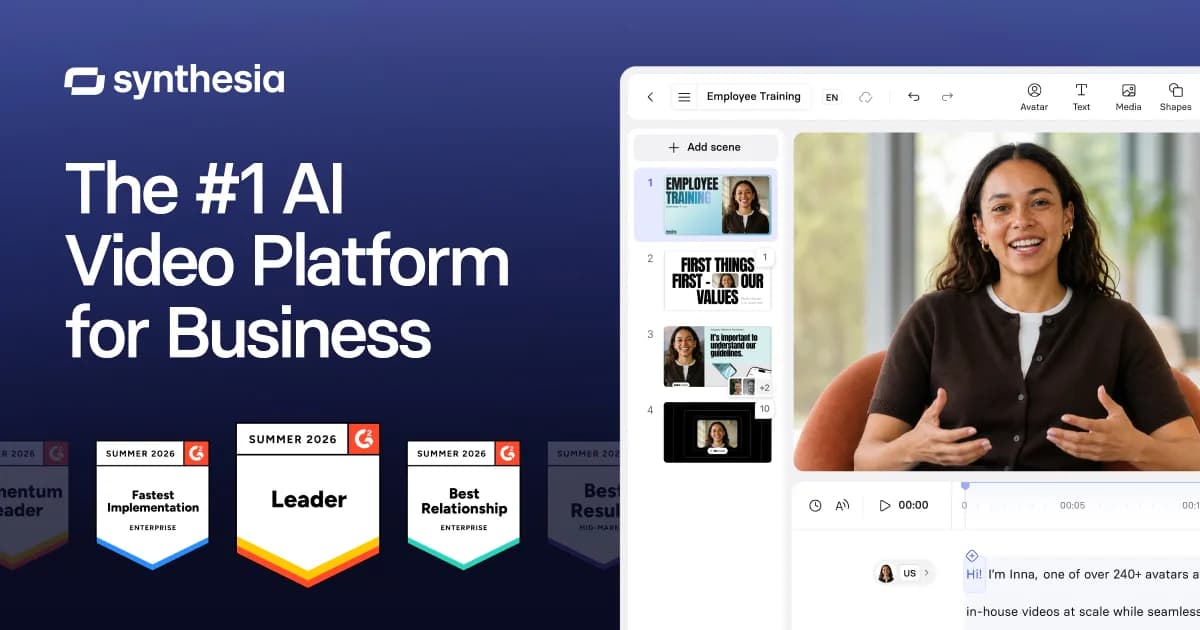
In 2026, Synthesia switched to a unified credit pool on top of a base monthly allowance. Every plan starts with 10 free minutes of video or dubbing plus 500 credits a month; Starter adds 1,250 credits a month (about 22 minutes of typical avatar video in total, at ~100 credits per minute), and Pro adds 6,000 credits a month (about 70 minutes in total).
Watch the credit burn on newer AI features: while standard avatar slides cost ~100 credits per minute and lip-synced dubbing costs 80 credits per minute, prompting the Syren AI video agent uses 1,000 to 2,000 credits for a single 1-minute video. SCORM exports and bulk CSV personalization are also locked to Enterprise.
- Best for: corporate training, L&D roleplays, SCORM exports, and enterprise avatar videos
- Modes and output: Avatar studio slides, Syren prompt-to-video agent, PowerPoint import, Chrome AI Screen Recorder, AI dubbing, and interactive roleplays; 1080p MP4 downloads and LMS embeds
- Pricing: Basic Free ($0/mo, 10 watermarked video or dubbing minutes, 3 survey responses, and 500 credits/mo), Starter $18/mo billed yearly ($29/mo monthly, 1,250 extra credits/mo = ~22 total min/mo, 3 personal avatars, 1 editor + 3 guests, no watermark), Pro $64/mo billed yearly ($89/mo monthly, 6,000 extra credits/mo = ~70 total min/mo, 5 personal avatars, 1 editor + 5 guests), Enterprise custom (240+ avatars, SCORM, SSO). Learner seats for roleplays cost $25/mo yearly ($29/mo monthly).
- Free plan or trial: Permanent Basic free plan (10 watermarked minutes and 500 credits every month, no credit card required).
6. InVideo AI
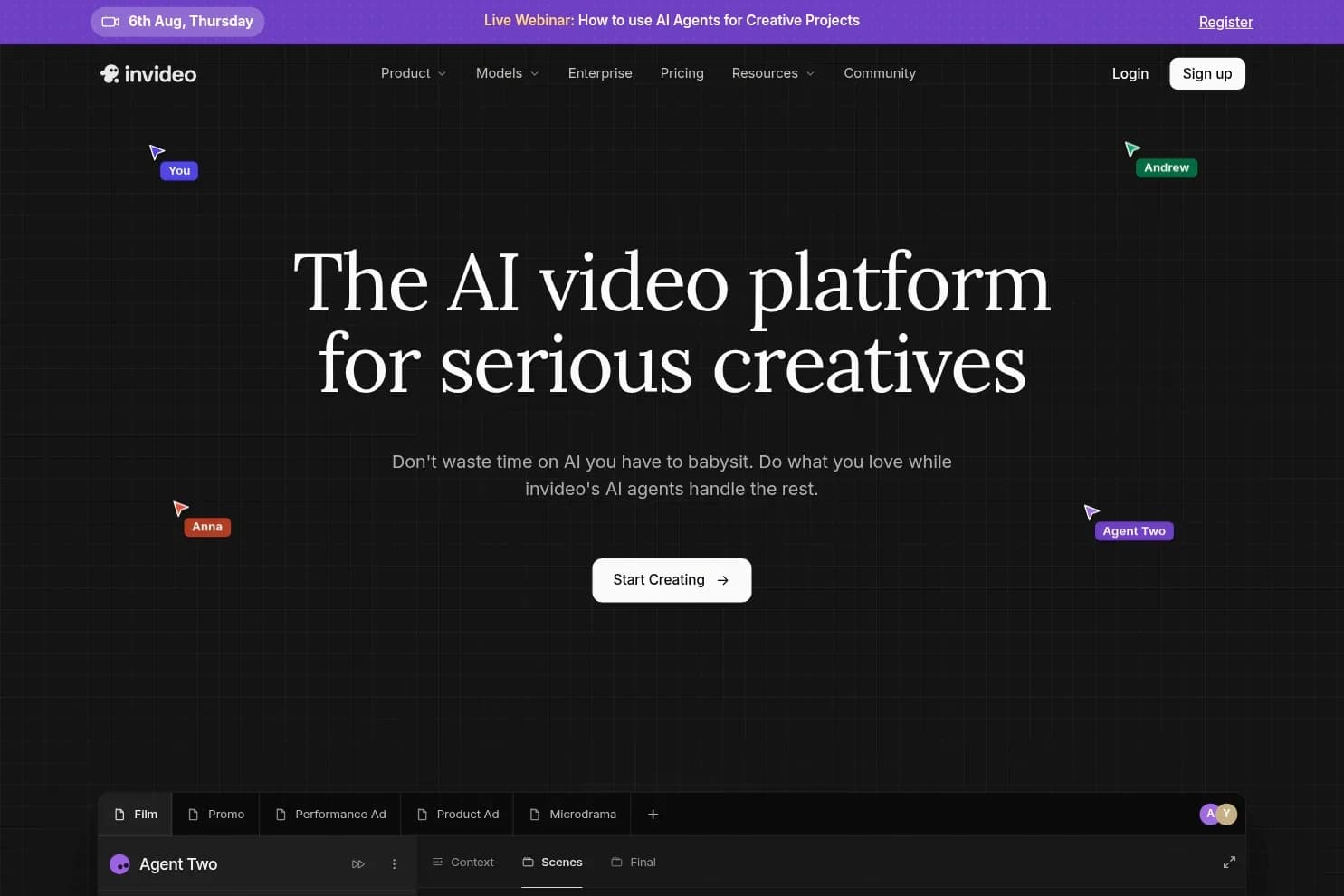
InVideo AI combines prompt-based script and scene generation with a full multiplayer timeline editor and a 16-million-item stock library. You type a topic or creative brief, let Agent Two assemble the script, voiceover, subtitles, and stock or generative clips, and then either type text commands to tweak the cut or drop into the timeline editor for color grading, audio mixing, and 3D effects.
Check the model table before buying the entry plan. InVideo's $10/seat/mo Starter tier (400 credits/mo) includes the full timeline editor and multiplayer collaboration for up to 5 seats, but it restricts you to Agent Two Lite and Seedance 2.0 Fast and Mini (~15 fast videos a month) and completely blocks Seedance 2.5 (1080p) and Seedance 2.0 (4K). Unlocking full frontier agents and Seedance 2.5 requires the Plus plan at $30/seat/mo billed annually (2,000 credits/mo, ~20 Seedance 2.5 1080p 5-second clips at ~96 credits each).
Unlike MakeAIVideo or Revid AI, InVideo AI does not auto-publish or schedule finished videos to your social media calendars, and unused monthly credits expire at renewal.
- Best for: prompt-to-video editing with a 16M+ stock library and multiplayer timeline tools
- Modes and output: Prompt-to-video via Agent Two, multiplayer timeline editing (color, audio, 3D), Seedance 2.0/2.5 video generation, and Nano Banana Pro images; up to 1080p or 4K on Plus and Max
- Pricing: Free ($0, watermarked exports, no generative models), Starter $10/seat/mo billed yearly ($20/seat/mo monthly, 400 credits/seat/mo, 100 premium stock clips, up to 5 seats, no Seedance 2.5), Plus $30/seat/mo billed yearly (2,000 credits/seat/mo, unlocks Seedance 2.5 1080p and Seedance 2.0 4K, up to 10 seats), Max $75/seat/mo billed yearly (5,000 to 15,000 credits/seat/mo, 500 premium stock clips, up to 20 seats)
- Free plan or trial: Permanent free plan with watermarked exports (30-day unlimited Nano Banana 2.1 and Ideogram 4.5 images promo on annual paid plans).
7. LTX Studio
LTX Studio, built by Lightricks, is designed for creative directors and agencies that story-board multi-scene commercials, music videos, and short films before rendering a frame. You feed it a script or concept, lock in recurring characters and props as reusable "Elements", and direct camera angles shot by shot across a visual storyboard that exports either as a finished MP4, an NLE editing package, or a client pitch deck. Under the hood, it runs Lightricks' open-weight LTX-2.5 (Pro and Fast) and LTX-2.3 models alongside partner models like Kling 3.0 Pro, Seedance 2.0, FLUX.2 Pro, Nano Banana 2, and (on Pro) Veo 3.1.
Read the licensing row on the pricing page carefully before using LTX Studio for business. Both the Free plan (800 one-time credits) and the $12/mo Lite plan (8,000 credits/mo) carry a strict Personal Use License that prohibits business, marketing, client, or sponsored content, and Lite also omits AI Storyboards, Pitch Decks, and Kling/Seedance models. Commercial rights start on the Standard plan at $28/mo billed annually ($35/mo monthly).
If you want to turn the same storyboard into a standalone slide presentation, see our guide to the best AI presentation makers.
- Best for: shot-by-shot AI storyboarding, pitch decks, and open-weight LTX-2.5 filmmaking
- Modes and output: AI Storyboards, consistent character Elements, node-based Flows, audio-to-video, video-to-video control, pitch deck export, and multi-model rendering (LTX-2.5, Kling 3.0 Pro, Seedance 2.0, Veo 3.1)
- Pricing: Free ($0 forever, 800 one-time credits, personal use only), Lite $12/mo billed yearly ($15/mo monthly, 8,000 credits/mo, no watermark, personal use only), Standard $28/mo billed yearly ($35/mo monthly, 28,000 credits/mo, commercial use license, AI Storyboards, Pitch Decks, Kling 3.0 Pro, Seedance 2.0), Pro $100/mo billed yearly ($125/mo monthly, 110,000 credits/mo, adds Veo 3.1), Enterprise custom
- Free plan or trial: Free plan with 800 one-time credits (personal use only); 14-day refund window on paid plans if usage is under 1,200 credits.
8. Revid AI
Revid AI started life as Typeframes (see my Typeframes / Revid AI review) and grew into a 100-tool viral short-form studio for TikTok, Instagram Reels, and YouTube Shorts. You can browse a database of 3 million+ viral videos to remix hooks, turn X posts, Reddit threads, blog URLs, audio tracks, or long YouTube videos into vertical shorts, and enable Auto-Mode workers that generate and publish videos to TikTok, Instagram, and YouTube on autopilot every day.
Every paid plan includes voiceovers in 70+ languages, access to generative models up to 4K (including Seedance 2.5), AI talking avatars, and full access to the Revid REST API, MCP server, and CLI so coding agents like Claude Code can trigger renders.
The catch is the entry price and platform scope. Revid AI has no $9 or $10 starter tier: paid plans begin at $39/month ($32/month billed yearly) for 2,000 credits (which covers roughly 25 to 50 thirty-second moving-image videos, or fewer when using full generative video models), free accounts cannot export finished videos, and direct publishing only covers TikTok, Instagram, and YouTube rather than 11 networks.
- Best for: viral short-form social templates, X/Reddit/YouTube repurposing, and daily Auto-Mode workers
- Modes and output: 100+ short-form tools (text, URL, X post, Reddit, audio, and YouTube-to-short), 3M+ viral video library, Auto-Mode workers, Seedance 2.5 up to 4K, API, MCP server, and CLI
- Pricing: Growth $32/mo billed yearly ($39/mo monthly, 2,000 AI credits/mo = ~25 to 50 moving-image shorts, 3 Auto-Mode workers, track 5 channels), Elite $74/mo billed yearly ($89/mo monthly, 5,000 credits/mo), Ultra $166/mo billed yearly ($199/mo monthly, 12,000 credits/mo, 10 Auto-Mode workers, voice cloning, track 50 channels). Non-expiring Credit Boost packs start at $49 for 1,000 credits.
- Free plan or trial: Free signup includes sample credits to test generation inside the editor, but video exports require a paid plan.
9. Pictory
Pictory is built for content marketers and educators who start with existing long-form assets rather than a blank prompt. Paste a blog URL, upload a .pptx slide deck, or drop in a 60- to 180-minute webinar recording, and Pictory extracts the key highlights or matches your script against Storyblocks and Getty Images footage, adds ElevenLabs multilingual voiceovers, and burns in captions (with .srt, .vtt, and .txt downloads).

In 2026, Pictory unified its plans around a single generative AI credit pool and added an AI Video Agent plus studio access to Veo 3.1 (20 credits/s without audio, 40 credits/s with audio), Veo 3.1 Fast (10 to 15 credits/s), Pixverse, Omni Flash, and Nano Banana Pro. Annual subscribers get their full year of credits upfront (24,000 credits/yr on Starter, 72,000 on Professional).
Watch out for three limitations: exports top out at 1080p across every plan (720p on the free trial), API access is not included on self-serve plans, and Pictory permanently deletes your stored video projects if you cancel your subscription, so download all MP4s before leaving.
- Best for: turning long webinars, blog URLs, and PowerPoint decks into Storyblocks and Getty stock videos
- Modes and output: Script/URL-to-video (up to 30 min), long-video highlight clipper (uploads up to 60 min on Starter, 180 min on Pro), PPTX-to-video, ElevenLabs voices, stock and custom avatars, and Veo 3.1 / Pixverse studio clips at 1080p MP4
- Pricing: Starter $25/mo billed yearly ($29/mo monthly, 24,000 credits/yr = up to 360 mins/yr, 1 Brand Kit, 7 languages), Professional $35/mo billed yearly ($59/mo monthly, 72,000 credits/yr = up to 1,080 mins/yr, 5 Brand Kits, 2 custom avatars, 29 languages), Teams $119/mo billed yearly ($199/mo monthly, 216,000 credits/yr = up to 3,600 mins/yr, 10 Brand Kits), Enterprise custom (SCORM, SSO)
- Free plan or trial: 14-day free trial (300 credits, 3 video projects up to 5 minutes each, 720p export with Pictory branding, no refunds on paid plans).
10. Kling AI
Kling AI, built by Kuaishou, is the workhorse model for animators and performance marketers who want to turn a static product photo or character portrait into a 3- to 30-second video clip with realistic physics, start-and-end frame locking, and multi-shot camera cuts. Its 2026 lineup spans Kling 3.0, Kling 4.0 (3- to 30-second text, image, and reference-to-video at 720p or 1080p), and Kling O3 4K, which renders native 4K video in a single pass without a separate upscaling step.
Kling O3 4K also supports multi_prompt shot sequencing and native audio generation, though its built-in speech synthesis only speaks English and Chinese (prompts in other languages are automatically translated to English). Free accounts receive daily login credits, which makes Kling popular for testing image-to-video prompts, but free renders sit in slower queues and carry watermarks.
Because Kling is a raw shot generator with no script writer, caption burner, or social scheduler, many teams call Kling 3.0 or O3 4K inside multi-model platforms or via API on fal.ai ($0.42 per second flat rate for Kling O3 4K, audio on or off). For simpler template-based product promos on a budget, see my Clippulse review.
- Best for: realistic image-to-video motion, start/end frame control, and native 4K clips (Kling 3.0, 4.0, and O3)
- Modes and output: Text-to-video, image-to-video with start/end frames, multi-element reference uploads, video editing, and native 4K output (3 to 30 seconds across 16:9, 9:16, and 1:1)
- Pricing: Free tier with daily login credits (watermarked, lower queue priority); paid web subscriptions reported from $10/mo ($120/yr) up to $92/mo on Premier tiers, or pay-per-second via API on fal.ai ($0.42/second for Kling O3 4K, or $2.10 per 5-second 4K clip) and inside Runway ($12/mo+) or LTX Studio ($28/mo+)
- Free plan or trial: Daily free credits on web login (watermarked exports).
How we picked
Every tool on this list can turn text or an image into moving pixels. Where they separate in October 2026 comes down to four checks we verified on each vendor's pricing and documentation pages:
- Finished narrated videos vs raw 5-second clips. Raw model playgrounds (Runway, Google Veo 3.1, Kling AI) generate impressive 4- to 30-second shots, but you still have to write the script, record or sync narration, burn in subtitles, and stitch scenes together. MakeAIVideo, InVideo AI, Revid AI, and Pictory handle the entire script-to-voice-to-captions pipeline and export a ready-to-post MP4.
- Real credit math for a 30-second video. Headline monthly credit numbers mean nothing until you check the burn rate per second. On MakeAIVideo Lite ($9/mo, 600 credits), a 30-second stock-footage video with voiceover and captions uses about 112 credits (~5 videos/mo) and a 15-second full AI video uses about 324 credits. On InVideo AI, the $10/mo Starter tier blocks Seedance 2.5 completely, so you have to pay $30/mo on Plus (2,000 credits, ~96 credits per 5s of Seedance 2.5 1080p). On Synthesia, a standard avatar minute is ~100 credits, but its Syren prompt-to-video agent burns 1,000 to 2,000 credits per minute.
- Commercial rights and model locks on entry tiers. Always check the fine print on the cheapest plan. LTX Studio marks both its Free plan and its $12/mo Lite plan as Personal Use Only, requiring the $28/mo Standard plan for any business, marketing, or client video. MakeAIVideo, Runway, HeyGen, Synthesia, and Pictory allow commercial use and remove watermarks on their first paid tier.
- Direct social publishing and API/MCP access for AI agents. If you want Claude, ChatGPT, or Cursor to generate and queue videos from a prompt, look for a hosted Model Context Protocol (MCP) server and social publishing built into the base plan. MakeAIVideo includes auto-posting to 11 social networks, a 65-endpoint REST API, an open-source SDK and CLI, and a 44-tool hosted MCP server (
https://mcp.makeaivideo.ai) on every plan from $9/mo. Revid AI also includes API, MCP, and CLI access plus Auto-Mode publishing to 3 networks (TikTok, Instagram, YouTube), starting at $32/mo billed yearly.
Frequently asked questions
What is the best AI video generator for turning a prompt into a finished social video?
MakeAIVideo is the best pick if you want to type a prompt, paste a script or blog link, or pick a talking avatar and get back a 1080p MP4 with voiceover, scenes, word-by-word captions, and music, then schedule it across 11 social networks from the same app, starting at $9 a month. If you need a traditional multi-track timeline with 16M+ stock clips, look at InVideo AI Plus ($30/seat/mo yearly).
What is the best free AI video generator in 2026?
For raw cinematic clips, Google Flow gives you 50 free credits a day with a Google account to run Google Veo 3.1, and Kling AI gives daily free login credits for watermarked clips. For avatar videos, Synthesia Basic includes 10 free watermarked minutes a month, and HeyGen Free includes 3 one-minute watermarked videos a month. To test full watermark-free 1080p videos with social auto-posting, MakeAIVideo gives you a 7-day free trial with 350 credits on every plan.
Which AI video generator has the best API or MCP server for AI agents?
MakeAIVideo includes its 65-endpoint REST API, TypeScript SDK (@makeaivideo/sdk), CLI (@makeaivideo/cli), and 44-tool hosted OAuth MCP server (https://mcp.makeaivideo.ai) on every plan from $9 a month, using the same credit balance as the web app to estimate costs, render videos, and publish to 11 social platforms. Revid AI also includes API, MCP, and CLI access on all paid plans starting at $32/mo billed yearly ($39/mo monthly).