


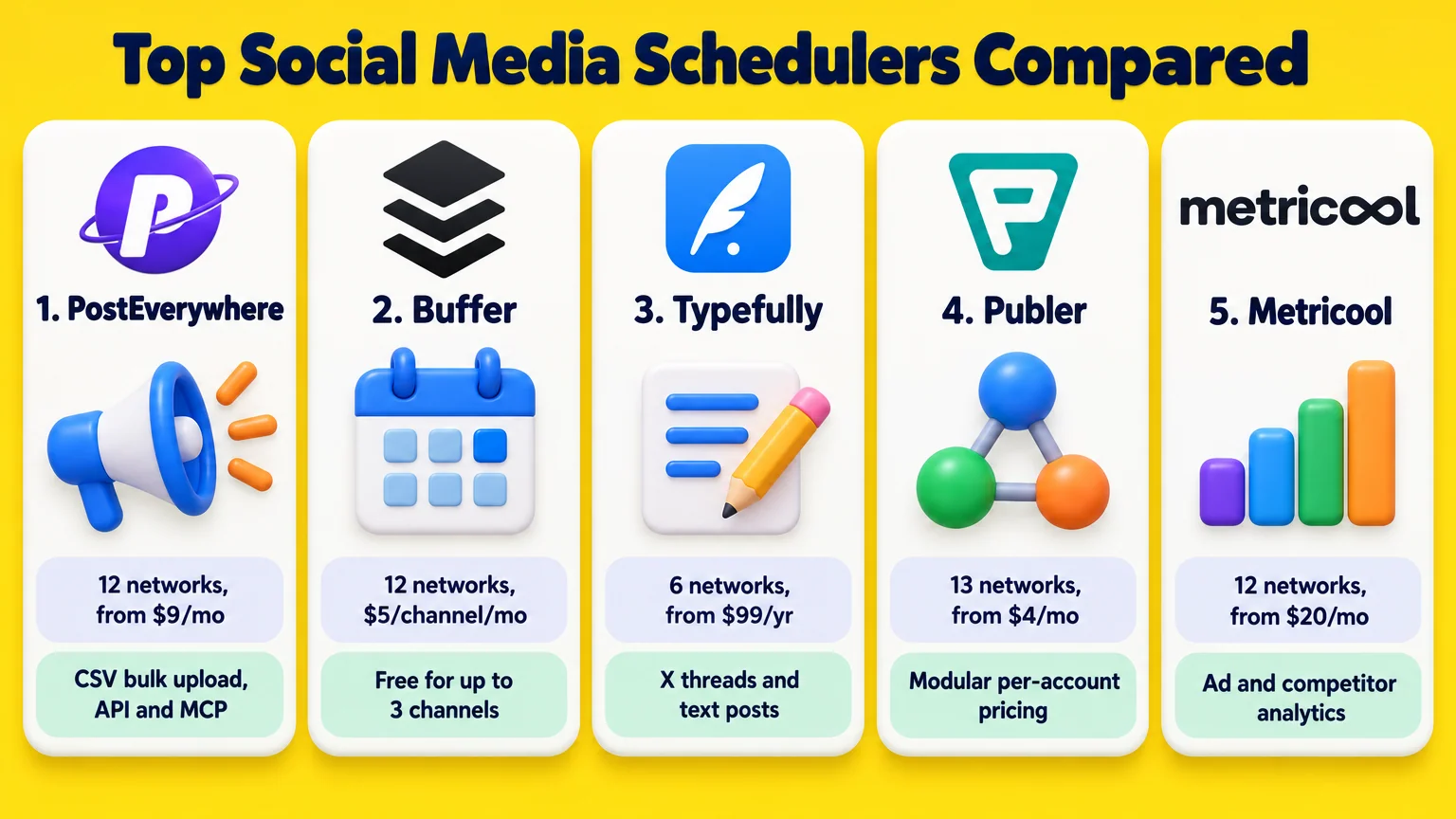
- Best for posting one post to 12 networks from one calendar: PostEverywhere. Adapts each post per channel, bulk-uploads 200 posts per CSV, and includes a REST API and a 39-tool hosted MCP server on every plan from $9/mo (7-day trial).
- Best free plan for solo creators: Buffer. Free for up to 3 channels and 10 queued posts per channel, or $5/channel/mo billed yearly across 12 networks including Substack Notes.
- Best for X threads and text networks: Typefully. Clean thread editor for X, LinkedIn, Threads, Bluesky, Mastodon, and Instagram, from $99/year with a free 10-post/mo tier.
- Best modular per-account pricing: Publer. Pay per account from $5/mo ($4/mo yearly) across 13 networks including X, Telegram, and WordPress.
- Best for analytics and ad tracking: Metricool. Connects 12 social channels plus Google, Meta, and TikTok Ads from $20/mo billed yearly (free for 1 brand, excluding LinkedIn and X).
Most social media scheduler roundups still list retired free plans, skip newer networks like Bluesky and Threads, or hide what happens to the price when you add a second user or a tenth account.
I checked the live pricing pages, supported networks, bulk upload limits, and API or MCP access for 10 social media scheduling tools in October 2026.
Disclosure: StoryChief is my own product, and the Typefully link is an affiliate link. Every other link on this page, including PostEverywhere, is a plain non-affiliate link.
Best social media scheduling tools compared
| Tool | Best for | Networks | Starting price | Free plan or trial |
|---|---|---|---|---|
| PostEverywhere | Posting one post to 12 networks from one calendar | 12 (IG, TikTok, LinkedIn, FB, YouTube, X, Threads, Pinterest, Bluesky, Discord, Telegram, WordPress) | $9/mo ($90/yr) | 7-day trial (card required) |
| Buffer | Free scheduling for solo creators (up to 3 channels) | 12 (IG, FB, LinkedIn, TikTok, X, Threads, Bluesky, YouTube, Pinterest, GBP, Mastodon, Substack) | $5/channel/mo yearly ($6 monthly) | Free plan (3 channels, 10 queued/channel) |
| Typefully | Writing X threads and text posts across 6 networks | 6 (X, LinkedIn, Threads, Bluesky, Mastodon, IG) | $99/yr ($10 monthly) | Free plan (1 social set, 10 posts/mo) |
| Publer | Modular per-account pricing with X, Telegram, and WordPress | 13 (FB, IG, TikTok, X, Threads, LinkedIn, Pinterest, Mastodon, GBP, YouTube, Telegram, Bluesky, WordPress) | $4/mo yearly ($5 monthly, 1 account) | Free plan (3 accounts, no X); 14-day Business trial |
| Metricool | Combining scheduling with ad and competitor analytics | 12 (IG, FB, LinkedIn, X add-on, Pinterest, TikTok, YouTube, GBP, Twitch, Bluesky, Mastodon, Threads) | $20/mo yearly ($25 monthly, up to 5 brands) | Free plan (1 brand, 20 posts/mo, no LinkedIn or X) |
| SocialBee | Evergreen content categories and post recycling | 10 direct (FB, IG, Threads, LinkedIn, X, Pinterest, TikTok, YouTube, GBP, Bluesky) | $24.20/mo yearly ($29 monthly, 5 profiles) | 14-day trial (no card) |
| Later | Visual Instagram grid planning and UGC collection | 8 (IG, FB, TikTok, Threads, YouTube, Pinterest, LinkedIn, Snapchat) | $18.75/mo yearly ($25 monthly, 8 profiles) | 14-day trial |
| StoryChief | Content teams publishing blog articles and social posts together | 11 social (LinkedIn, IG, FB, TikTok, YouTube Shorts, X, Pinterest, Threads, Bluesky, GBP, Slack) + CMS | $59/mo yearly ($69 monthly, 4 social channels) | Free trial (no card) |
| Hootsuite | High-volume CSV scheduling (350 posts) and crisis pause controls | 9 (IG, FB, X, LinkedIn, TikTok, YouTube, Pinterest, Threads, Bluesky) | $99/user/mo yearly ($149 monthly, 10 accounts) | 14-day trial (no card) |
| Sprout Social | Enterprise social customer care, Smart Inbox, and Salesforce reporting | 8 social (IG, FB, LinkedIn, TikTok, Pinterest, YouTube, Threads, X) + WhatsApp/Messenger | $79/seat/mo yearly ($99 monthly, Essentials) | 30-day trial (no card) |
1. PostEverywhere
PostEverywhere is best for posting one post to 12 networks from one calendar. You write or upload a post once, and the composer checks and adapts it for Instagram (Reels, Stories, carousels), TikTok, LinkedIn (profiles and company pages), Facebook, YouTube (videos and Shorts), X (posts, threads, Communities, and long-form X Articles), Threads, Pinterest, Bluesky, Discord, Telegram, and WordPress (including images, categories, and tags).
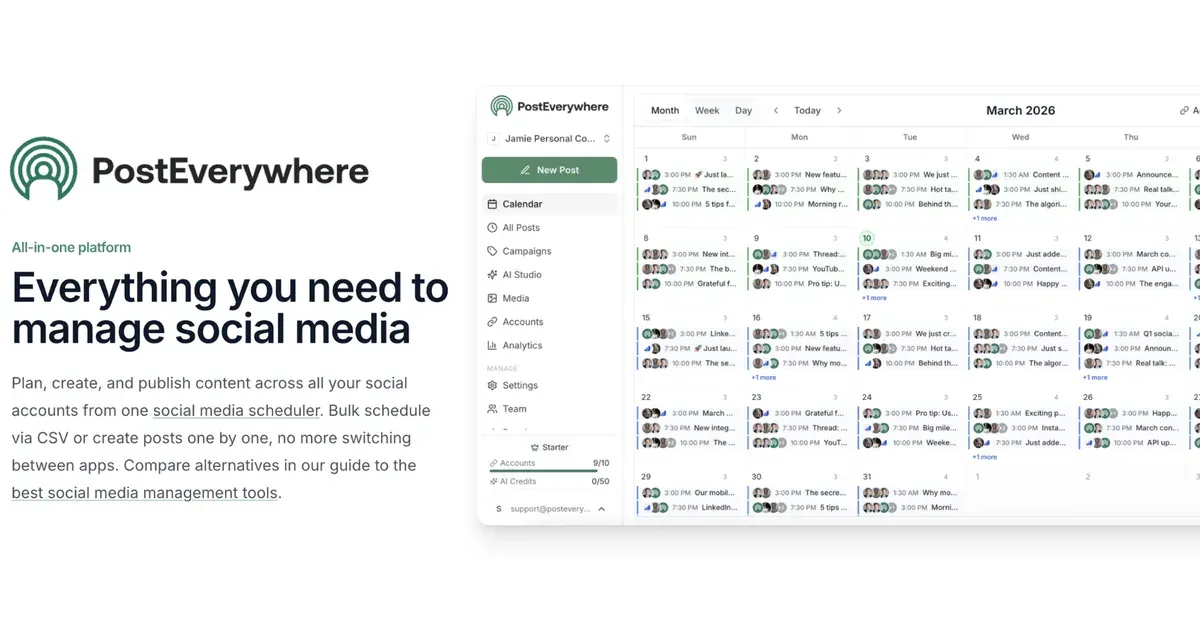
Where most schedulers treat bulk publishing and developer access as enterprise add-ons, PostEverywhere includes both on every tier. Its CSV uploader handles up to 200 posts per file and 10 uploads a day, mapping each spreadsheet row into per-platform posts on your calendar. You can also set recurring weekly time slots per account so queued posts fill the next open slot automatically, and use the built-in AI Studio to generate captions, images, and 5- or 10-second vertical, square, or wide videos (if you need longer narrated videos or talking avatars first, see our best AI video generators guide).
Every plan also includes the full REST API (60 requests per minute and 1,000 per hour per API key), an open-source Node.js SDK (@posteverywhere/sdk), a CLI (@posteverywhere/cli), webhooks, and a hosted MCP server (https://mcp.posteverywhere.ai). Pasting that MCP URL into Claude, ChatGPT, or Cursor exposes 39 tools for drafting, scheduling at your best posting times, generating media, retrying failed posts, and reading analytics in plain language.
- Best for: posting one post to 12 networks from one calendar, CSV bulk scheduling, and AI agent workflows
- Networks: 12 (Instagram, TikTok, LinkedIn, Facebook, YouTube, X, Threads, Pinterest, Bluesky, Discord, Telegram, WordPress)
- Pricing: Lite $9/mo ($90/yr, 2 social accounts, 10 AI credits/mo, 1 user, 1 workspace), Starter $19/mo ($190/yr, 5 accounts, 25 AI credits/mo, 2 users), Growth $29/mo ($278/yr, 10 accounts, 100 AI credits/mo, 3 users), Scale $39/mo ($374/yr, 20 accounts, 500 AI credits/mo, 5 users, 5 workspaces). Unlimited scheduled posts on all plans.
- Free plan or trial: 7-day free trial on every plan (card required, $0 due today, cancel anytime). No permanent free plan.
2. Buffer
Buffer is the cleanest starting point if you only manage two or three accounts and want a permanent free plan. Its Free tier lets you connect up to 3 channels and keep 10 scheduled posts in the queue per channel at a time; as soon as one post goes live, that slot opens up again.
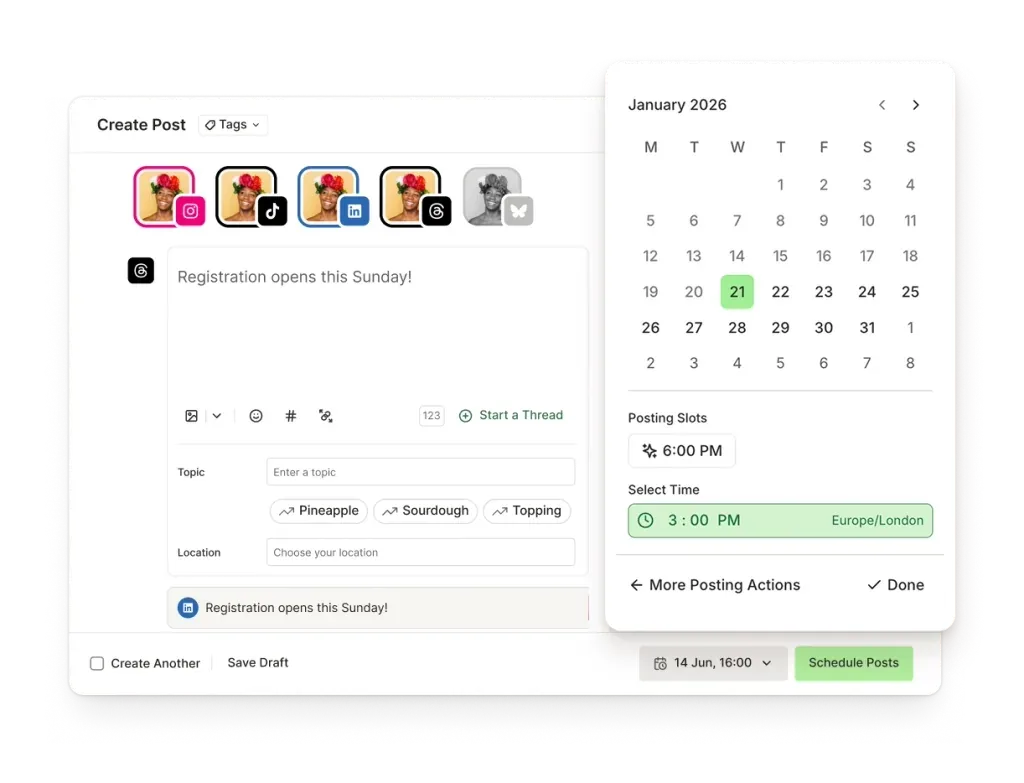
In September 2026, Buffer added Substack Notes alongside LinkedIn, Threads, Pinterest, Bluesky, YouTube, X, Google Business Profile, Instagram, Mastodon, TikTok, and Facebook, bringing its total to 12 channels. It also includes a Create Space board for storing up to 100 post ideas on Free (unlimited on paid plans), a Community comment inbox, and API access on every tier (1 API key and 3,000 requests a month on Free).
The catch is per-channel pricing. Connecting 3 channels on Essentials costs $15 a month billed yearly, which is a bargain. Connecting 12 channels on the Team plan costs $120 a month billed yearly ($144 a month billed monthly), which is three times the price of flat-bundle tools like PostEverywhere or SocialBee.
- Best for: free scheduling for solo creators (up to 3 channels)
- Networks: 12 (LinkedIn, Threads, Pinterest, Bluesky, YouTube, X, Google Business Profile, Instagram, Substack, Mastodon, TikTok, Facebook)
- Pricing: Free ($0 for 3 channels, 10 queued posts/channel), Essentials $5/channel/mo billed yearly ($6/channel/mo monthly, 1 user), Team $10/channel/mo billed yearly ($12/channel/mo monthly, unlimited users and approval workflows)
- Free plan or trial: Permanent free plan (3 channels); 14-day free trial on paid plans.
3. Typefully
Typefully is built for writers who care about how threads and short-form text posts read before they go out. I use it daily for my own X marketing workflow and covered it in depth in my Typefully review.
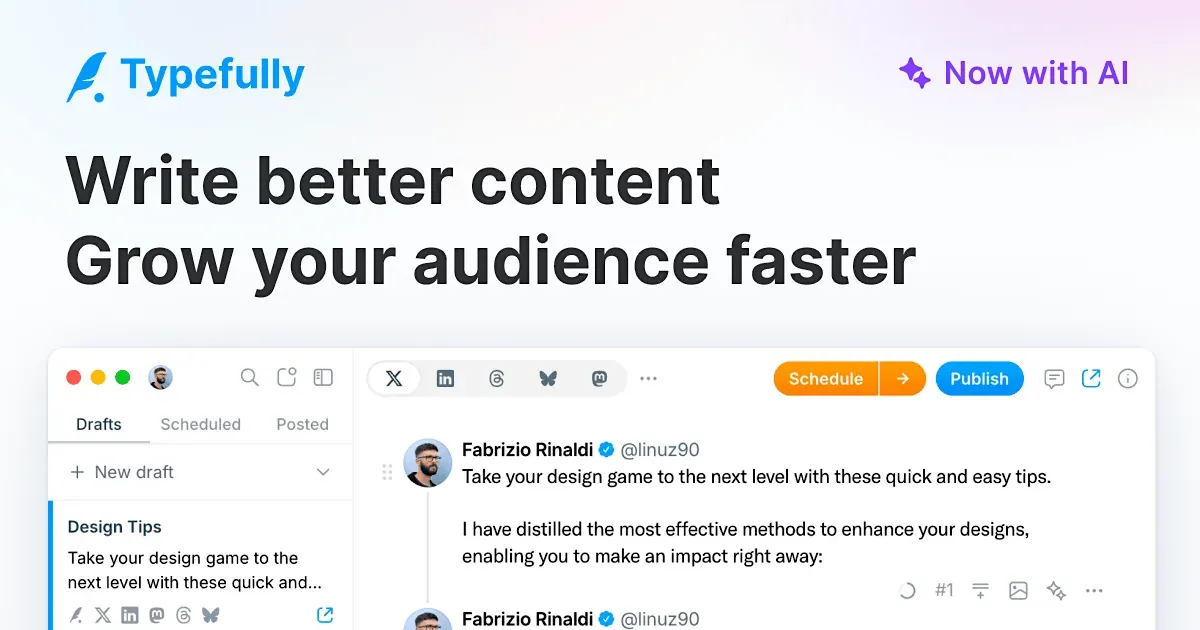
Originally an X-only tool, Typefully now cross-posts to 6 networks: X, LinkedIn, Threads, Bluesky, Mastodon, and Instagram. You write in a distraction-free document editor, press Enter a few times to split a long draft into a numbered thread, and set up Auto-DMs, Auto-RTs, or Auto-Plugs that fire when a post hits an engagement threshold. Like PostEverywhere, Typefully also offers a public REST API, an OAuth MCP server (https://mcp.typefully.com/mcp) for ChatGPT, Claude, and Notion, and open-source Agent Skills for terminal coding agents.
Skip Typefully if your calendar revolves around TikTok, YouTube Shorts, Pinterest, or Google Business Profile, since it does not connect to those platforms.
- Best for: writing X threads and text posts across 6 networks
- Networks: 6 (X, LinkedIn, Threads, Bluesky, Mastodon, Instagram)
- Pricing: Free ($0 for 1 social set and 10 posts/month), Creator $99/year or $10/mo monthly (1 social set, 1,000 posts/month, AI writing, X analytics), Business $18/mo per social set billed yearly ($20/mo monthly, up to 50 social sets, 1,500 posts/month, unlimited teammates)
- Free plan or trial: Permanent free plan (10 posts/mo); 14-day refund window on paid plans.
4. Publer
Publer is the most flexible option if you want to build a plan around the exact number of accounts and team seats you need. Paid plans start at 1 social account and 1 user, scale per account, and give you every 10th social account or additional team member free.
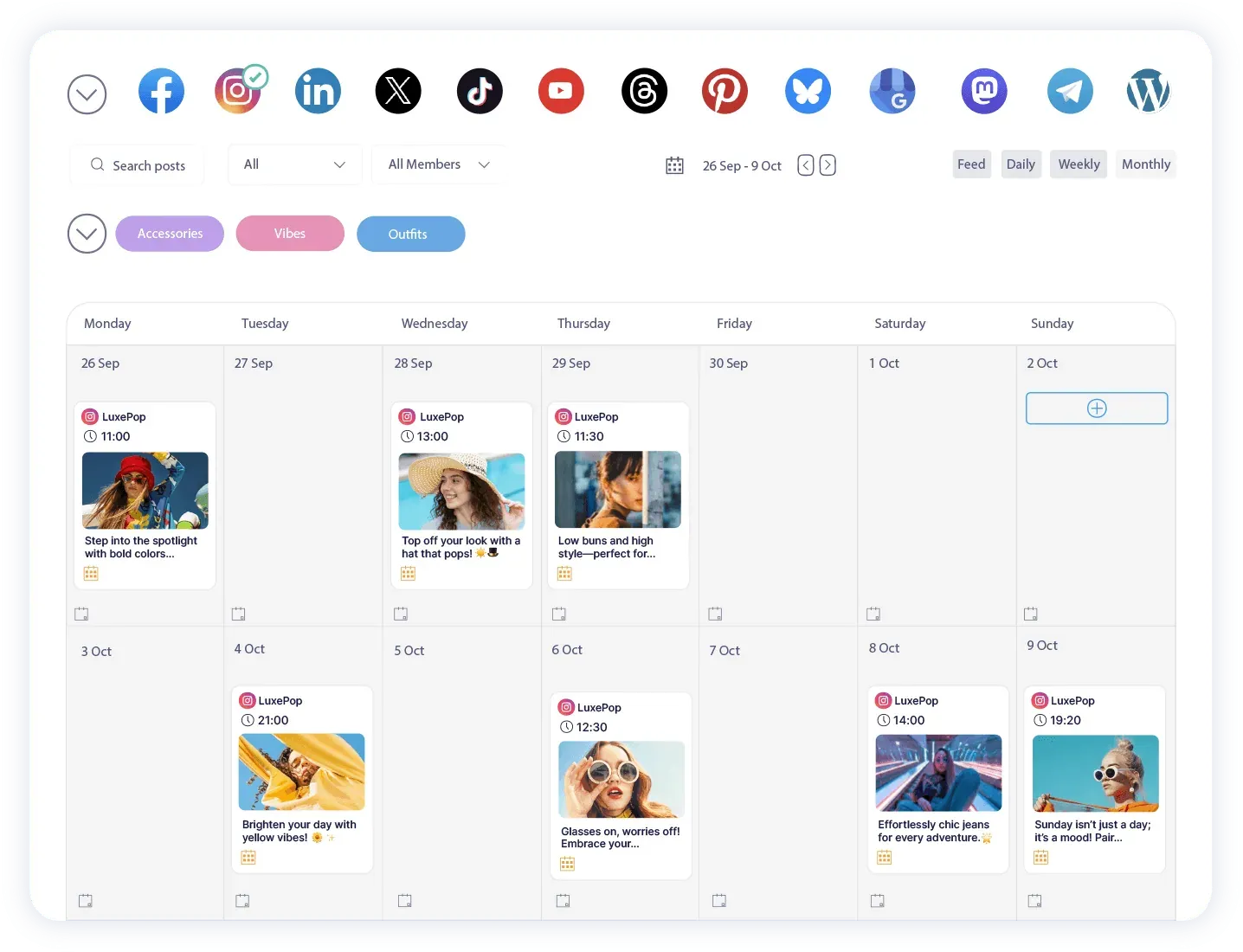
It supports 13 networks: Facebook, Instagram, TikTok, X, Threads, LinkedIn (including PDF carousels), Pinterest, Mastodon, Google Business Profile, YouTube (videos and Shorts), Telegram, Bluesky, and WordPress. Because of X Enterprise API fees, Publer blocks X/Twitter on its Free plan and requires at least the Professional plan to connect an X account.
Check the tier table before buying for automation: CSV bulk scheduling and RSS auto-posting are included on Professional, but evergreen post recycling, recurring posts, Spintax variations, video watermarking, competitor analytics, and eligible API and MCP access require the Business plan.
- Best for: modular per-account pricing with X, Telegram, and WordPress
- Networks: 13 (Facebook, Instagram, TikTok, X on paid plans, Threads, LinkedIn, Pinterest, Mastodon, Google Business Profile, YouTube, Telegram, Bluesky, WordPress)
- Pricing: Free ($0 for 3 accounts excluding X, 10 scheduled posts/account, 25 drafts), Professional from $4/mo billed yearly ($5/mo monthly, starting at 1 account), Business from $8/mo billed yearly ($10/mo monthly, starting at 1 account)
- Free plan or trial: Permanent free plan (no X); 14-day free trial on Business.
5. Metricool
Metricool is built for marketers who spend as much time building client performance reports and checking ad spend as they do queuing posts. Instead of charging per social channel, Metricool prices by "brand," where each brand includes one profile on every supported network plus your website or blog and your Google, Meta, and TikTok ad accounts.
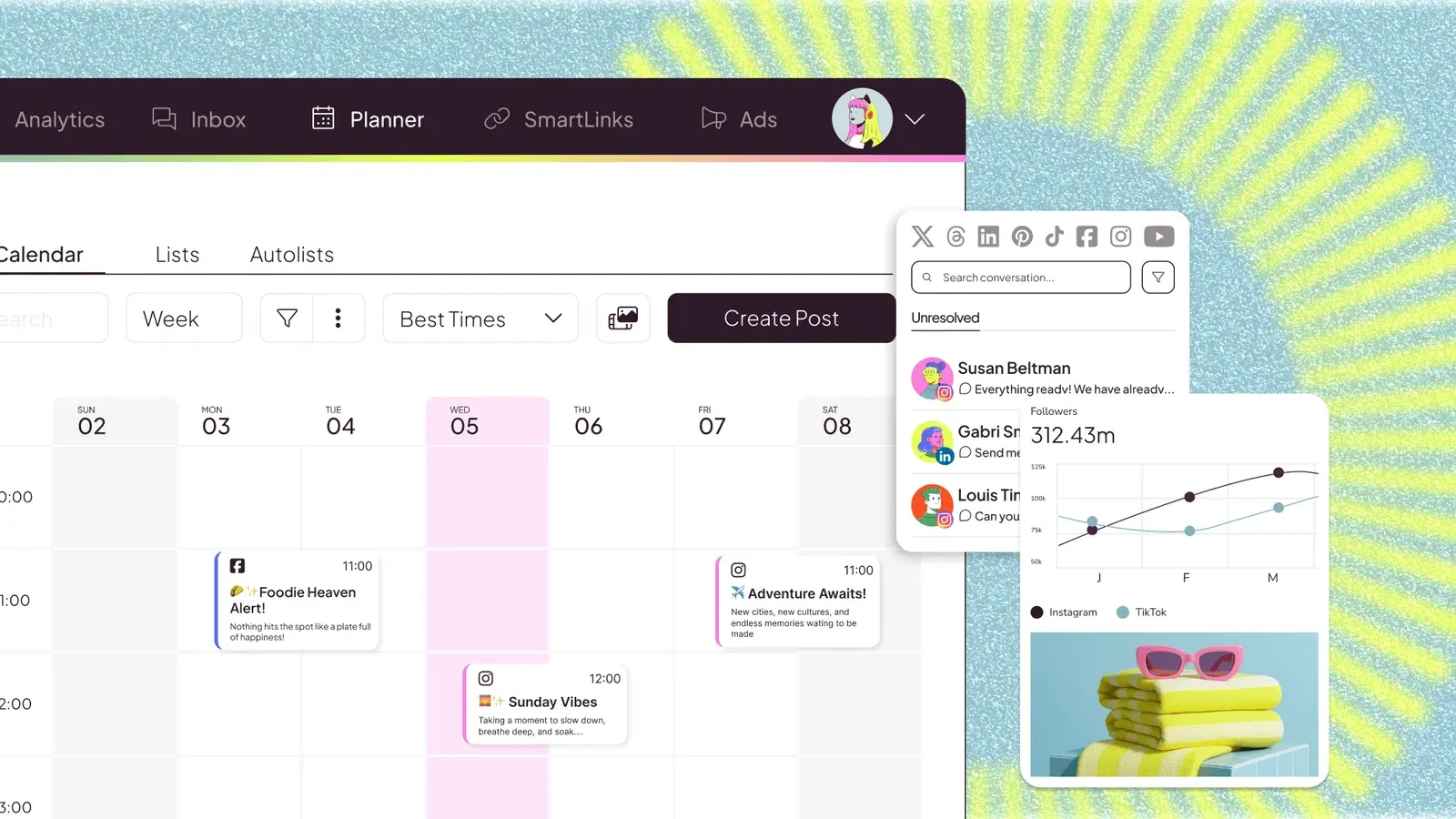
That setup lets you see organic reach, link clicks, website traffic, and paid ad ROI in one dashboard, benchmark against up to 100 competitors on Starter, and export PDF or PowerPoint reports automatically. On the Advanced plan, it adds team and client roles, post approval workflows, a Looker Studio connector, and API and MCP access.
Watch out for two network restrictions: LinkedIn is not included on the Free plan, and X/Twitter is not in any plan by default: it is a paid add-on at €10 per connected account, with a 30-day storage limit on X metrics.
- Best for: combining scheduling with ad and competitor analytics
- Networks: 12 social (Instagram, Facebook, LinkedIn on paid plans, X via add-on, Pinterest, TikTok, YouTube, Google Business Profile, Twitch, Bluesky, Mastodon, Threads) plus web/blog and Google, Meta, and TikTok Ads
- Pricing: Free ($0 for 1 brand, up to 20 posts/mo, 5 competitors, no LinkedIn or X), Starter from $20/mo billed yearly ($25/mo monthly for up to 5 brands; $36/mo yearly for 10 brands), Advanced from $53/mo billed yearly ($67/mo monthly for up to 15 brands; up to 50 brands for $159/mo yearly)
- Free plan or trial: Permanent free plan (1 brand).
6. SocialBee
SocialBee is the strongest scheduler if you publish evergreen tips, blog promotions, and curated links that should stay in rotation for months rather than fire once and disappear.
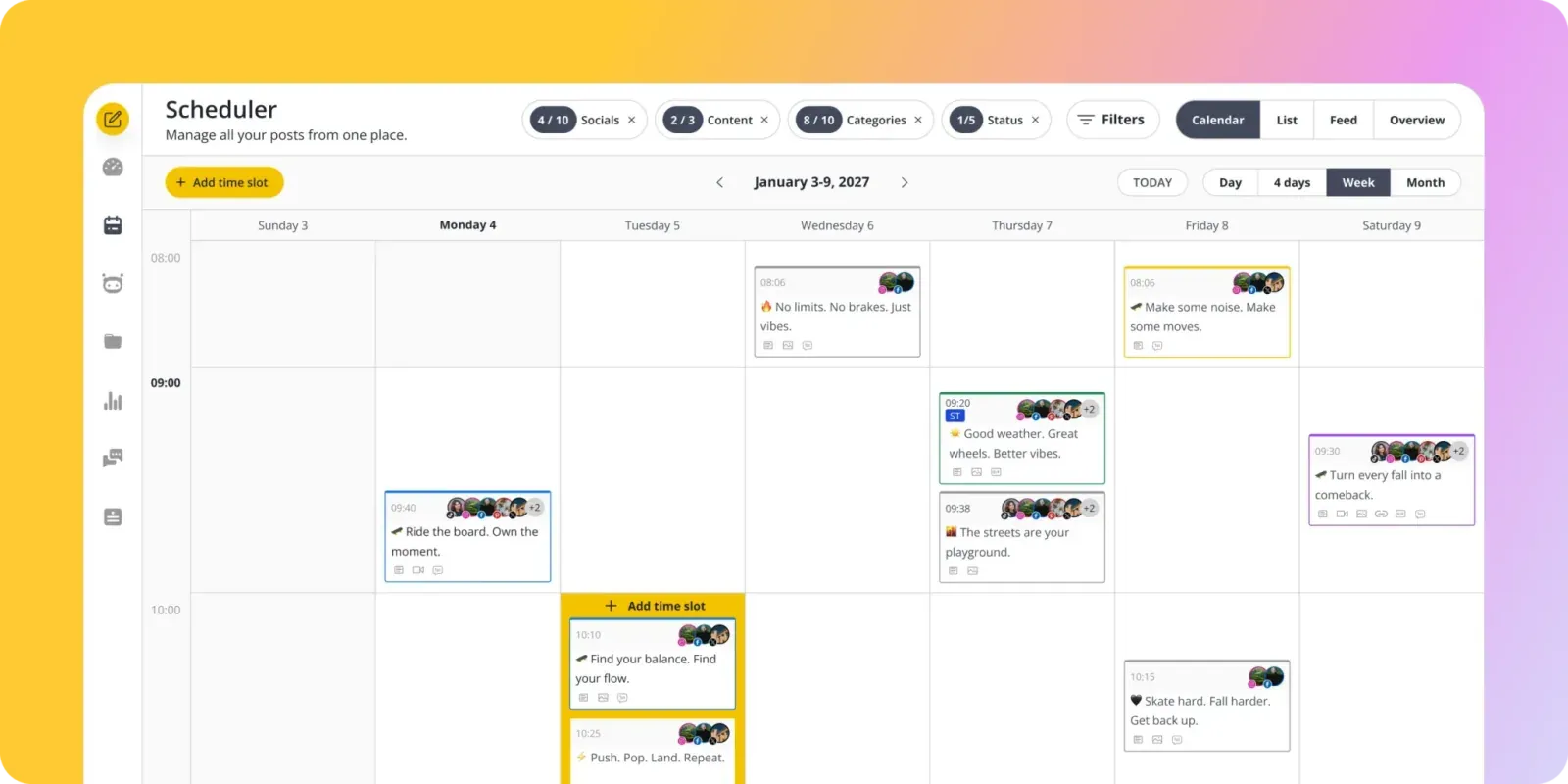
Instead of dropping every post onto a single timeline, you organize posts into topic categories (10 categories on Bootstrap, 50 on Accelerate, unlimited on Pro) and assign weekly time slots to each category. SocialBee rotates through the queue automatically, cycles through AI-generated caption and visual variations so repeat posts do not look copy-pasted, and expires seasonal posts after a set date or share count. It posts directly to 10 networks and uses mobile app notifications ("Universal Posting") for channels without direct API support, such as WhatsApp, Telegram, Mastodon, Quora, and Facebook Groups.
- Best for: evergreen content categories and post recycling
- Networks: 10 direct (Facebook, Instagram, Threads, LinkedIn, X, Pinterest, TikTok, YouTube, Google Business Profile, Bluesky) plus universal mobile notification posting
- Pricing: Bootstrap $24.20/mo billed yearly ($29/mo monthly, 5 profiles, 1 user, 1 workspace), Accelerate $40.80/mo billed yearly ($49/mo monthly, 10 profiles, CSV uploads, approvals, 2 years analytics), Pro $82.50/mo billed yearly ($99/mo monthly, 25 profiles, 3 users/workspace, 5 workspaces). Agency tiers from $149.20/mo yearly for 50 profiles.
- Free plan or trial: 14-day free trial (no credit card required). No permanent free plan.
7. Later
Later was built around Instagram first, and its visual grid planner is still the main reason to pick it. You can drag upcoming photos, Reels, and carousels around a live preview of your Instagram profile grid to check how colors and crops line up before publishing, trim videos and add Reels audio inside the composer, and build a shoppable Link in Bio page.
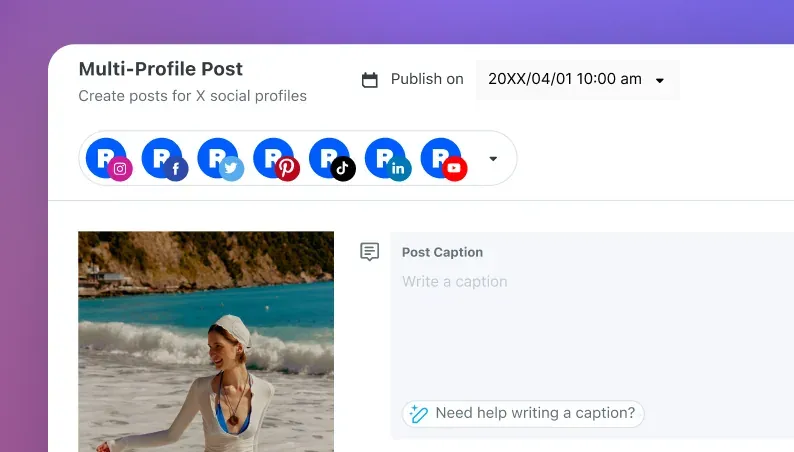
Later also includes user-generated content (UGC) tools to search Instagram by profile or hashtag (and collect tagged or mentioned posts on Growth and above). The composer graphic on their scheduler page still shows an X icon. Their pricing page does not list X, Bluesky, or Google Business Profile, no longer lists a standalone free plan, and caps Starter at 30 scheduled posts per profile per month.
- Best for: visual Instagram grid planning and UGC collection
- Networks: 8 (Instagram, Facebook, TikTok, Threads, YouTube, Pinterest, LinkedIn, Snapchat)
- Pricing: Starter $18.75/mo billed yearly ($25/mo monthly, 1 social set of 8 profiles, 1 user, 30 posts/profile/mo), Growth $37.50/mo billed yearly ($50/mo monthly, 2 social sets of 16 profiles, 2 users, 180 posts/profile/mo, social inbox, approvals), Scale $82.50/mo billed yearly ($110/mo monthly, 6 social sets of 48 profiles, 4 users, unlimited posts)
- Free plan or trial: 14-day free trial. No standalone free plan.
8. StoryChief
StoryChief is my own product (see my full StoryChief review). It is not a cheap standalone social queue; it is a content marketing platform for editorial teams and agencies that want to write articles, optimize them for SEO and AI search (GEO), and schedule the social rollout from the same calendar.
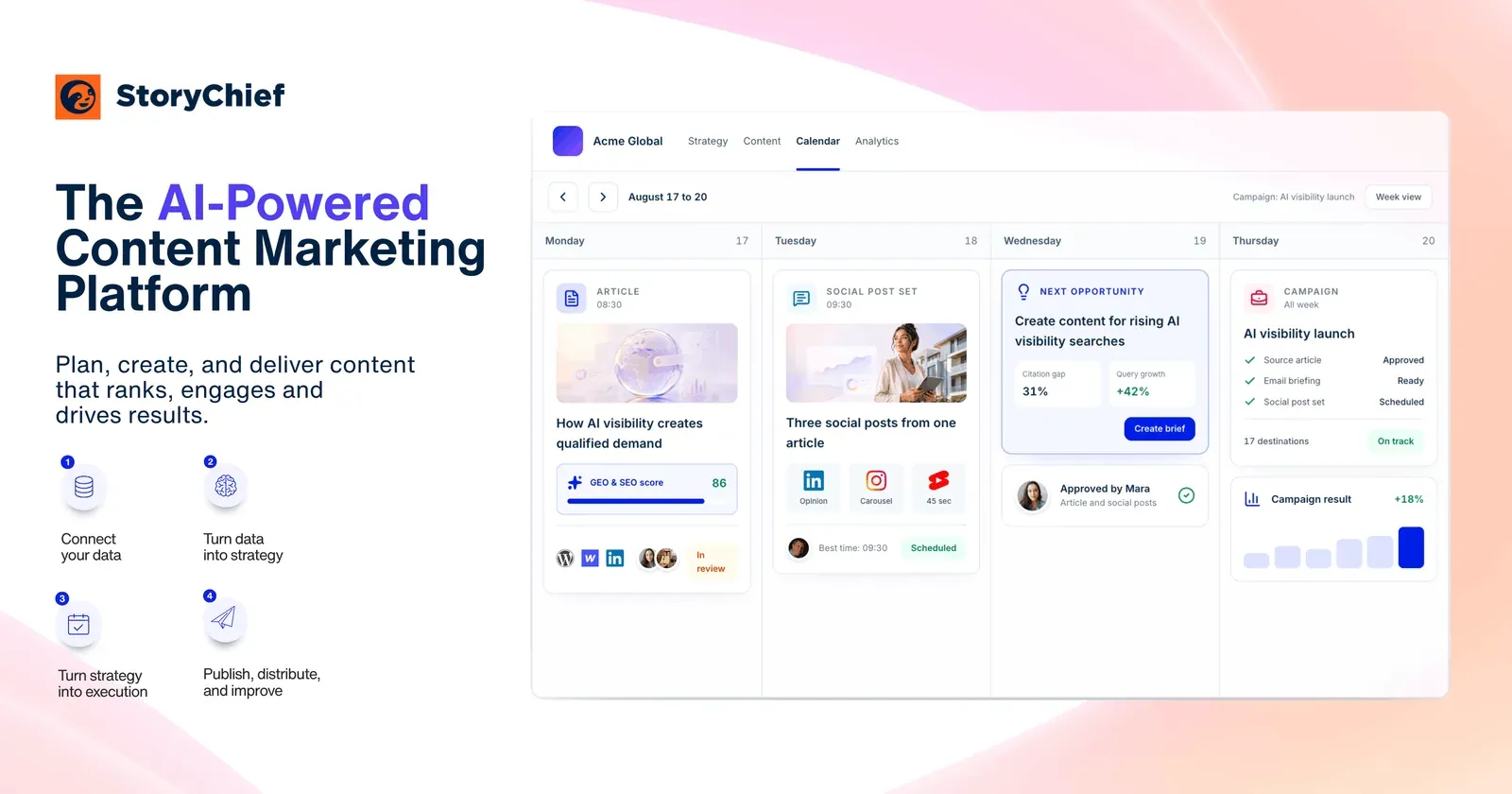
Inside the social composer, you start with a master post or pull directly from a draft blog article, then tailor the copy, image or video crop, first comment, UTM parameters, and publishing time for 11 social channels (including LinkedIn PDF document carousels). Teammates and external clients can leave inline comments or approve posts via a public review link without needing a paid login. If you only publish short social posts and do not run a blog or content team, PostEverywhere or Buffer will cost a fraction of the price. For a broader look at marketing software beyond scheduling, see our guide to AI digital marketing tools.
- Best for: content teams publishing blog articles and social posts together
- Networks: 11 social (LinkedIn, Instagram, Facebook, TikTok, YouTube Shorts, X, Pinterest, Threads, Bluesky, Google Business Profile, Slack) plus 450+ CMS and newsletter integrations (WordPress, Webflow, HubSpot, Mailchimp)
- Pricing: Starter $59/mo billed yearly ($69/mo monthly, 1 user, 4 social channels, 2 websites, 25 articles/mo, unlimited social posts), Growth $279/mo billed yearly ($339/mo monthly, 5 users, 10 social channels, 100 articles/mo, approval workflows, employee advocacy, 10 tracked AI prompts), Scale $449/mo billed yearly ($539/mo monthly, 10 users, 25 social channels), Agency $81/workspace/mo billed yearly ($97/mo monthly, unlimited users, 10 social channels per workspace)
- Free plan or trial: Free trial (no credit card required). No permanent free plan.
9. Hootsuite
Hootsuite is one of the oldest social media dashboards on the market, built for larger social teams that monitor multi-column keyword streams, route customer messages, and schedule in volume. Its Bulk Composer uploads up to 350 posts at once from a CSV file, and authorized managers can hit a crisis-pause button to suspend all scheduled posts across every channel when breaking news hits.
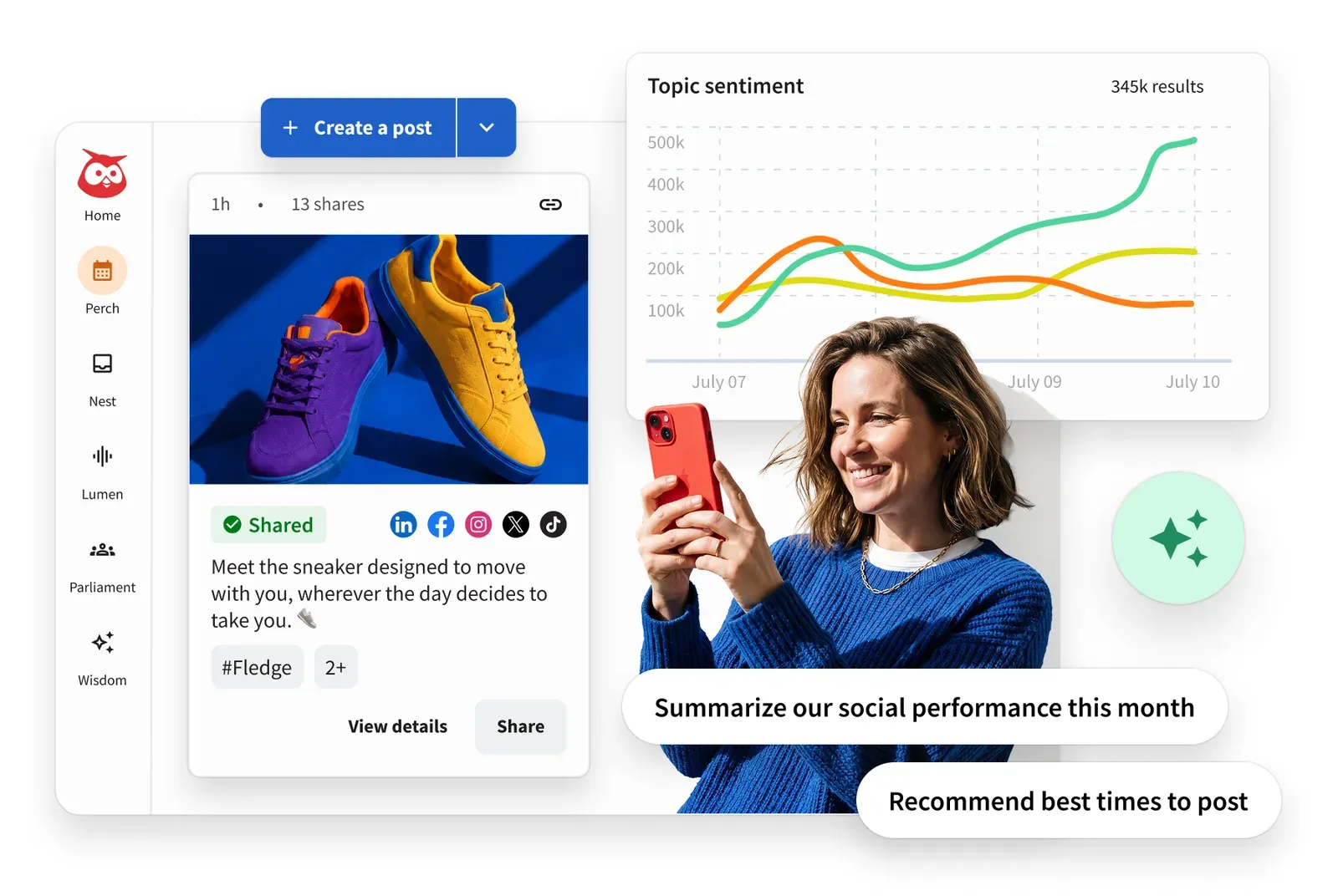
The downside is cost and tier gating. Hootsuite ended its free plan years ago, starts at $99 per user per month billed annually ($149 monthly) for 10 social accounts, and locks team content approval workflows and skill-based inbox routing behind the Advanced plan at $399 per user per month billed annually ($499 monthly).
- Best for: high-volume CSV scheduling (350 posts) and crisis pause controls
- Networks: 9 (Instagram, Facebook, X, LinkedIn, TikTok, YouTube, Pinterest, Threads, Bluesky; no Google Business Profile)
- Pricing: Standard $99/user/mo billed yearly ($149/user/mo monthly, 10 social accounts), Professional $199/user/mo billed yearly ($249/user/mo monthly, unlimited social accounts), Advanced $399/user/mo billed yearly ($499/user/mo monthly, content approvals and inbox routing), Enterprise custom
- Free plan or trial: 14-day free trial (no credit card required; trial caps daily posts at 10 to 20 per organization and disables bulk scheduling).
10. Sprout Social
Sprout Social is the enterprise standard when social customer care, reputation monitoring, and CRM integrations matter as much as the publishing calendar. Its Smart Inbox merges comments, mentions, reviews, and DMs (including WhatsApp and Facebook Messenger) with tag routing, sentiment scoring, and message spike alerts, and connects directly to Salesforce and helpdesk tools.
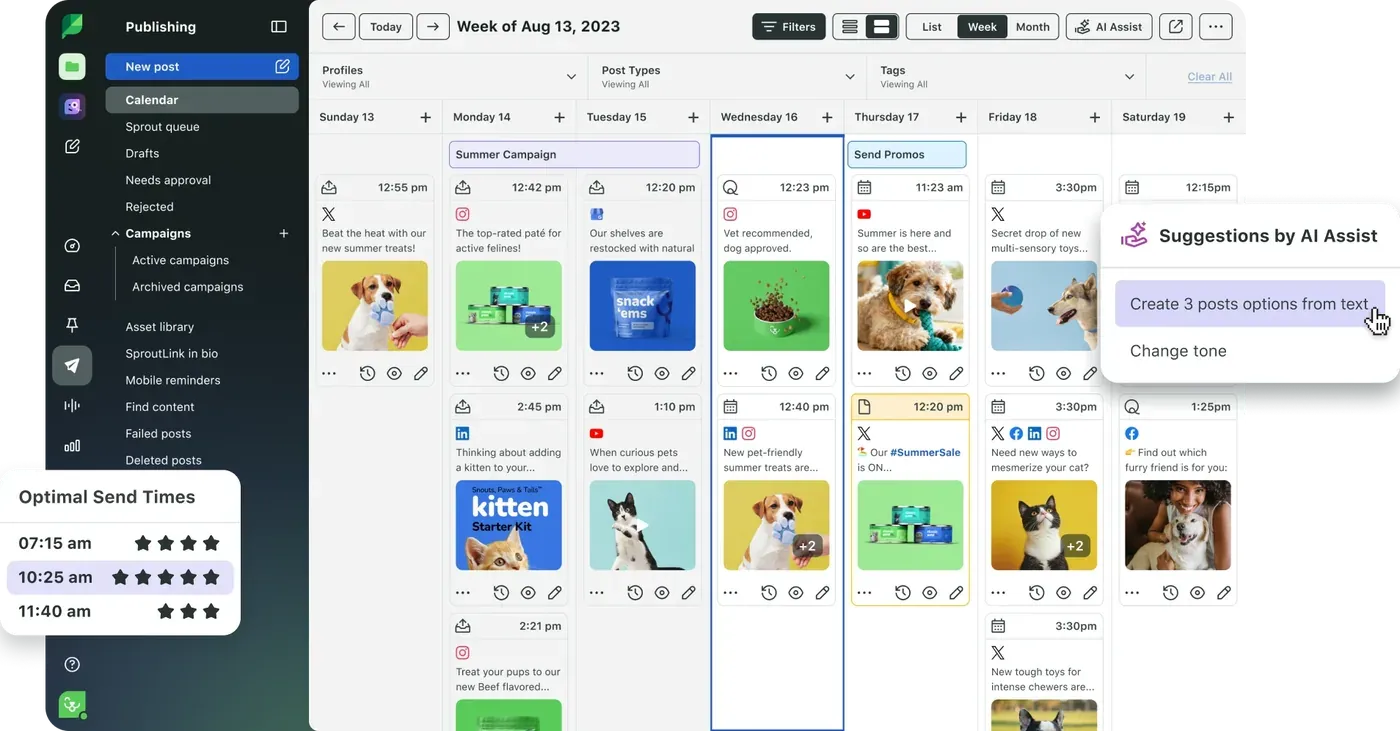
Sprout quietly offers an Essentials publishing-only tier at $79 per seat per month billed annually ($99 monthly) for 5 profiles, but the real platform starts on Standard at $199 per seat per month billed annually ($249 monthly), and every extra team member multiplies that bill. Full social listening and Premium Analytics are paid add-ons on top of the per-seat fee, and Sprout still does not support Bluesky.
- Best for: enterprise social customer care, Smart Inbox, and Salesforce reporting
- Networks: 8 social (Instagram, Facebook, LinkedIn, TikTok, Pinterest, YouTube, Threads, X) plus WhatsApp, Facebook Messenger, and Google Business Profile in the inbox
- Pricing: Essentials $79/seat/mo billed yearly ($99/seat/mo monthly, 5 profiles), Standard $199/seat/mo billed yearly ($249/seat/mo monthly, 5 profiles, Smart Inbox, review management), Professional $299/seat/mo billed yearly ($399/seat/mo monthly, unlimited profiles), Advanced $399/seat/mo billed yearly ($499/seat/mo monthly, sentiment, Spike Alerts, API), Enterprise custom
- Free plan or trial: 30-day free trial (no credit card required). No permanent free plan.
How we picked
Every scheduler on this list can put a post in a calendar and publish it at 9 a.m. Where they actually separate in 2026 comes down to four checks we verified directly on each vendor's pricing and documentation pages on October 18, 2026:
- Real network coverage (including X, Bluesky, and Threads). After X raised its API pricing, schedulers split: Later does not connect to X, Hypefury dropped it in 2026, Publer locks it behind paid plans, or turned it into a paid add-on (Metricool). Meanwhile, Threads and Bluesky became standard channels for creators and brands. PostEverywhere and Buffer cover 12 networks each, and Publer covers 13 on its paid tiers.
- How the bill scales at 10 accounts and 3 users. Per-channel pricing (Buffer) and per-seat pricing (Hootsuite, Sprout Social) look reasonable for one person and one account, then jump fast. For a 3-person team managing 10 social accounts, PostEverywhere Growth costs $29/month, Metricool Advanced costs $53/month (annual billing), Buffer Team costs $100/month (annual billing), and Hootsuite Standard costs $297/month (annual billing, before adding approval workflows).
- Bulk upload limits. If you batch a month of content in a spreadsheet, check the CSV cap and which tier unlocks it. PostEverywhere includes CSV bulk uploads (200 posts per file, 10 uploads a day) on every plan from $9/mo; SocialBee requires its Accelerate tier ($40.80/mo yearly) for CSV uploads; Hootsuite allows up to 350 posts per CSV on paid plans (disabled during the 14-day trial).
- API and MCP access for AI agents. If you use Claude, ChatGPT, or Cursor to draft and queue posts, look for a hosted Model Context Protocol (MCP) server or REST API that is not locked behind an enterprise plan. PostEverywhere includes its 39-tool hosted MCP server (
https://mcp.posteverywhere.ai), REST API, SDK, and CLI on every plan from $9/mo. Typefully and Buffer also include API access across their plans, whereas Publer restricts API and MCP access to eligible Business and Enterprise accounts, and Sprout Social locks its API behind the $399/seat/mo Advanced tier.
Frequently asked questions
What is the best social media scheduler for posting to every platform at once?
PostEverywhere is the best pick if you want to write or upload a post once and schedule it across 12 networks (Instagram, TikTok, LinkedIn, Facebook, YouTube, X, Threads, Pinterest, Bluesky, Discord, Telegram, and WordPress) from one calendar, starting at $9 a month. Publer covers 13 networks on its paid plans if you also need Mastodon or Google Business Profile.
What is the best free social media scheduling tool in 2026?
Buffer has the best permanent free plan for most solo creators: you can connect up to 3 channels (including X, LinkedIn, Instagram, TikTok, Threads, Bluesky, and Substack Notes) and queue up to 10 scheduled posts per channel at a time, which refill as posts go live. Metricool (1 brand, up to 20 posts a month, no LinkedIn or X), Publer (3 accounts, excluding X), and Typefully (1 social set, 10 posts a month) also offer permanent free tiers. Later, Hootsuite, Sprout Social, SocialBee, and PostEverywhere offer free trials rather than permanent free plans.
What if I need client approval workflows without paying per seat?
If your agency needs client sign-off on drafts without paying Hootsuite or Sprout Social per-seat fees, look at StoryChief Agency ($81/workspace/mo billed yearly with unlimited users and public client review links) or Planable ($33/workspace/mo billed yearly for Basic with 60 posts and 4 social pages, or $49/workspace/mo for Pro with 150 posts and 10 social pages, both with unlimited users and a 50-post free trial). On a smaller budget, PostEverywhere includes an approval queue and team roles on its Starter ($19/mo, 2 users), Growth ($29/mo, 3 users), and Scale ($39/mo, 5 users and 5 workspaces) plans.