

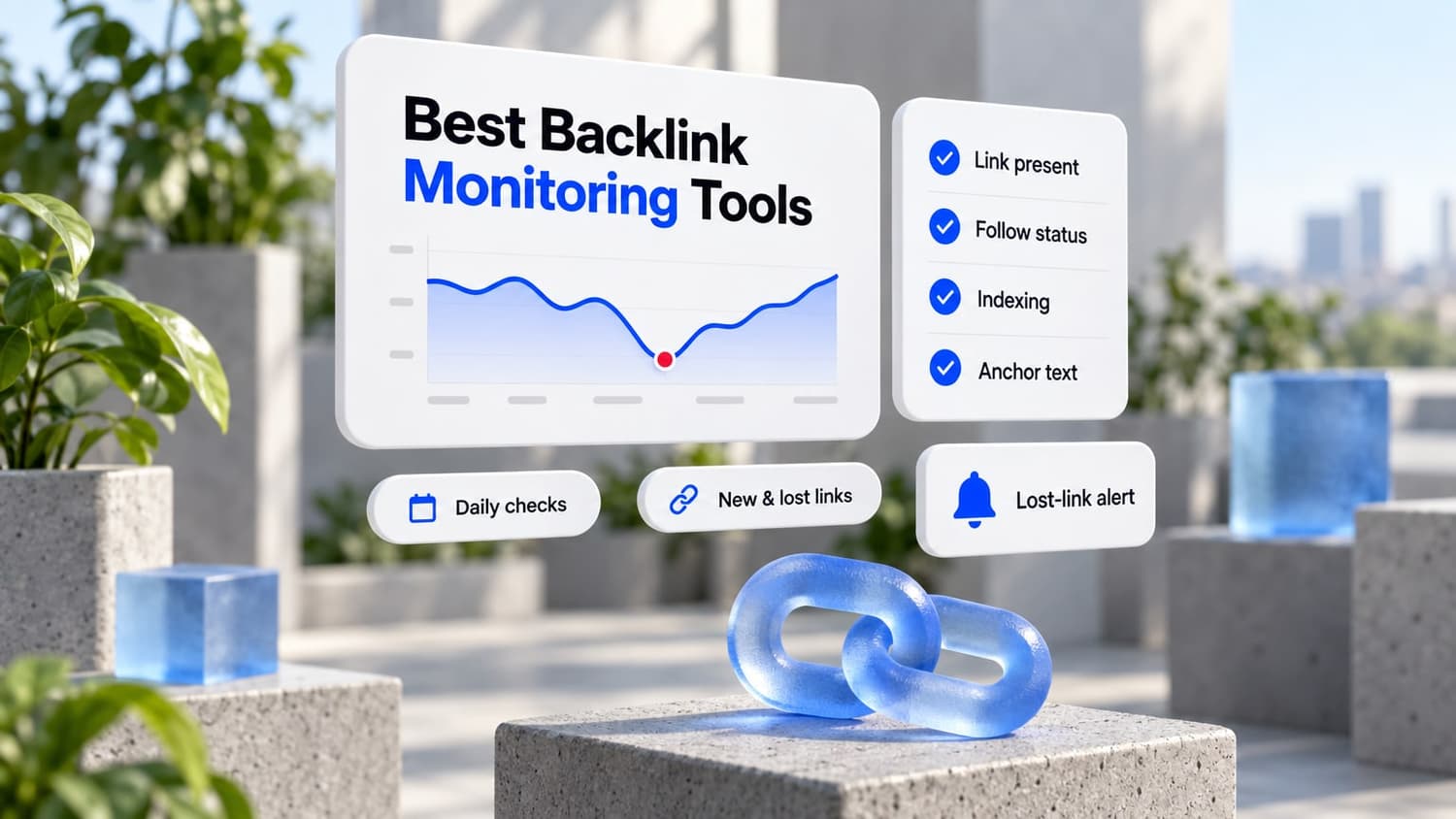
- Best dedicated monitor: Linkody. Daily checks, lost-link alerts, from $14.90/mo with a 30-day free trial.
- Best for finding new links: Ahrefs. The biggest index, and free for your own sites through Ahrefs Webmaster Tools.
- Best all-in-one value: SE Ranking. Monitoring, rank tracking, and audits from $103/mo on annual billing.
- Best for links you paid for: LinkChecker.pro. Import your placements and it checks each one daily, with a Google index scan every 5 days.
- Free: Google Search Console plus Ahrefs Webmaster Tools cover most small sites.
Backlink monitoring is not the same as a backlink checker. A checker tells you who links to a site today. A monitor watches the links you already have and tells you when one disappears, flips to nofollow, gets noindexed, or starts redirecting.
Backlink management is the same job with a record attached: each link's URL, target page, anchor, follow status, and price, rechecked on a schedule.
That matters once you pay for links. A placement that silently drops after two months is money gone, and most people only notice when rankings slip.
I compared seven tools on the things that decide whether you catch those losses: how often links get rechecked, what triggers an alert, where the link data comes from, and what it really costs in September 2026.
The top four. Tap one to jump to its review:
Building links rather than just watching them? LinkDR places links on vetted sites and tracks each placement afterward. More in monitoring links you build.
Backlink monitoring vs. backlink checking
There are two kinds of tools here, and most people need one of each.
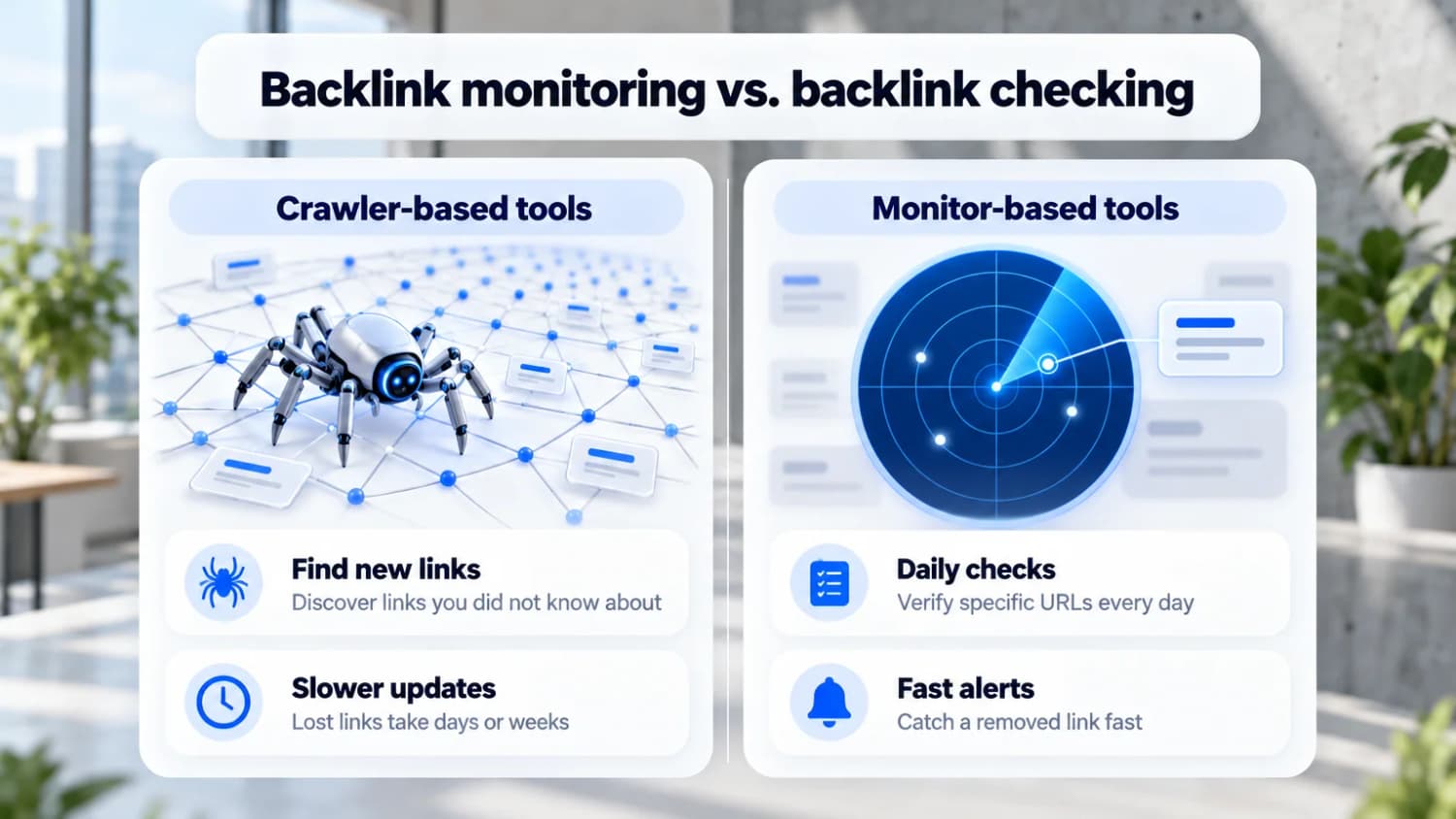
- Crawler-based tools (Ahrefs, Semrush, SE Ranking, Majestic) run their own web crawlers. They discover links you did not know about, including your competitors' links. They recheck on their own schedule, so a lost link can take days or weeks to show up.
- Monitor-based tools (Linkody, LinkChecker.pro, Monitor Backlinks) check a list of specific URLs you care about, usually every day. They catch a removed or nofollowed link fast, but only for links they already know about.
If you build or buy links, the monitor is the part that protects your money. The crawler is how you find links worth building.
What to monitor
A good monitor checks more than "is the link still there":
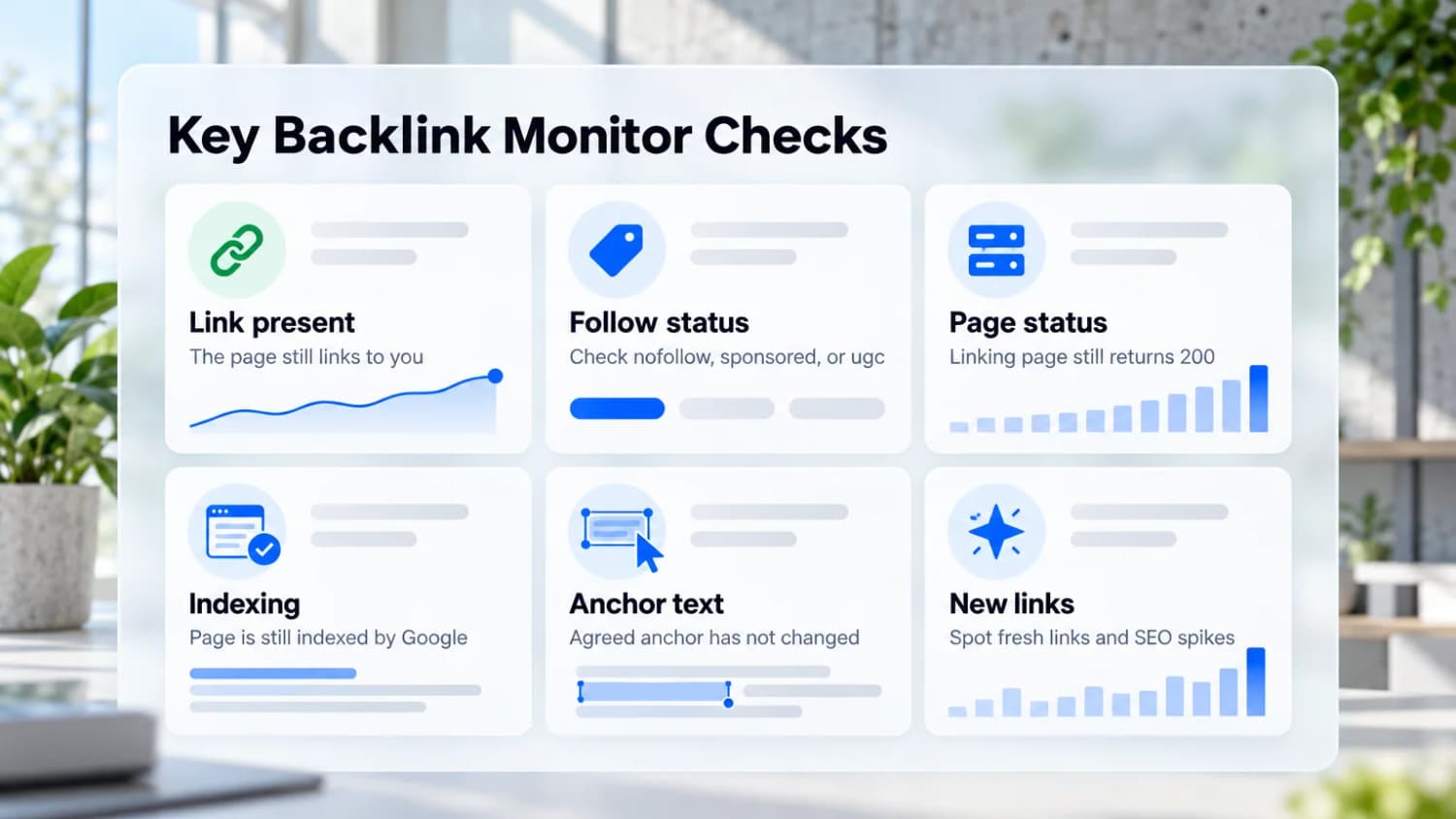
- Link present: the page still links to your URL.
- Follow status: the link did not quietly flip to
nofollow,sponsored, orugc. - Page status: the linking page still returns 200, not a 404, 301, or 5xx.
- Indexing: the linking page is still indexed and not blocked by
noindexor robots.txt. A link on a deindexed page passes nothing. - Anchor text: the anchor you agreed on has not been changed.
- New links: fresh links, so you can thank the site or spot a negative SEO spike.
1. Linkody
Linkody is the tool I would pick if all you need is to know when a link breaks. It checks every tracked link every 24 hours and emails you when one goes missing or changes status.
It also pulls in Ahrefs DR, Moz DA, and Spam Score for each link, so you can see which losses actually matter. The Google Analytics connection shows referral traffic per link, which is the fastest way to find the links that send real visitors.
Pros
- Daily rechecks with email alerts for lost and changed links
- Cheapest real monitor on this list
- Ahrefs DR, Moz DA, and Spam Score on every link
- 30-day free trial, no credit card
Cons
- Small discovery index; it will not find links the way Ahrefs does
- Interface feels dated
Pricing
Webmaster $14.90/mo ($11.20/mo billed annually), Advanced $24.90, Pro $49.90, Agency $99.90, and Agency XL $153.90. Tiers scale by domains, users, and monitored links.
2. Ahrefs
Ahrefs runs one of the most active crawlers after Google, so it finds new links quickly and has the deepest link history. Alerts for new and lost backlinks work for your own site and for competitors.
The part most people miss: Ahrefs Webmaster Tools is free for sites you verify. It covers backlink checking and site audits for your own properties, which is enough monitoring for many small sites.
Pros
- Biggest and freshest link index I have used
- New and lost backlink alerts, including for competitors
- Link intersect to find sites that link to competitors but not you
- Free for your own verified sites through Ahrefs Webmaster Tools
Cons
- Expensive once you need the full toolset
- Lower plans run on credits
- No free trial on paid plans
Pricing
Starter $29/mo (limited), Lite $129/mo, Standard $249/mo, Advanced $449/mo, and Enterprise $1,499/mo. Annual billing saves up to 17%. Extra seats cost $40-$100/mo depending on the plan.
3. SE Ranking
SE Ranking bundles backlink monitoring with rank tracking, site audits, and keyword research. Its monitor tracks new and lost links for the domains you add, and you can add links by hand or import them from Google Search Console or SE Ranking's Backlink Checker.
Its index is smaller than Ahrefs', but for watching your own link profile that rarely matters. You pay for capacity, not features: every plan includes monitoring.
Pros
- Monitoring, rank tracking, and audits in one subscription
- Manager and value fields on each backlink, plus a ready-made disavow file
- 14-day free trial, no credit card
Cons
- Smaller index than Ahrefs or Semrush
- No longer the cheap option after the 2026 plan change
Pricing
Core $129/mo ($103.20/mo billed annually) and Growth $279/mo ($223.20 annual). Enterprise is custom. The Agency Pack adds $69/mo.
4. Semrush
Semrush is a full SEO suite with a large backlink database and a Backlink Audit tool that scores links for toxicity. That audit is its main strength for monitoring: it flags suspicious links and exports a disavow file for Google Search Console.
Pros
- Backlink Audit with toxicity scoring and disavow export
- Large backlink database
- Free plan with 10 reports a day
Cons
- Overkill if you only want lost-link alerts
Pricing
The SEO plan is $139/mo ($117.33/mo billed annually). SEO + AI Search plans run $199 (Starter), $299 (Pro+), and $549 (Advanced), up to 17% less billed annually.
5. Monitor Backlinks (SEOptimer)
Monitor Backlinks has belonged to SEOptimer since 2023. The legacy Monitor Backlinks tool still works and is still sold, and SEOptimer has rebuilt backlink monitoring into its own White Label plan.
It tracks new, lost, and changed links and flags anchor text ratios. It is simple enough for a blogger to set up in five minutes.
Pros
- Beginner-friendly setup
- New, lost, and changed link tracking
- SEOptimer plan adds white-label audits
Cons
- Smaller index; not built for large sites
- The standalone tool is now labeled "legacy"
Pricing
Legacy Monitor Backlinks from $25/mo. SEOptimer White Label is $39/mo for 3 monitored sites. SEOptimer's $29 DIY plan does not include backlink monitoring.
6. LinkChecker.pro
LinkChecker.pro is built for one job: verifying links you have built or bought. It has no index of its own. You import your placements (or pull them from Ahrefs, Majestic, or Moz), and it checks each one daily.
It also scans Google's index every 5 days. It tells you whether each linking page is actually in Google's index, which catches the placements that look live but pass nothing.
Pros
- Daily checks on imported links, including Google indexing
- Integrations with Ahrefs, Majestic, and Moz
- Multi-user from the Standard plan
Cons
- No discovery at all; it only watches what you import
- Priced per monitored backlink, so large profiles get expensive
Pricing
Lite $25/mo (400 backlinks, 1 user), Standard $50/mo (1,000 backlinks, 5 users), Pro $100/mo (2,500 backlinks), up to $360/mo. Annual billing saves 20%.
7. Majestic
Majestic does links and nothing else. Its Trust Flow and Citation Flow metrics are still a quick way to judge link quality, and the historic index goes back years for spotting long-term growth or decline.
As a monitor it is limited. Campaigns track your domains, but there are no per-link daily checks like Linkody or LinkChecker.pro. Use it to research links, not to guard them.
Pros
- Trust Flow and Citation Flow for fast quality checks
- Deep historic index (Pro)
- Cheaper than Ahrefs for pure link research
Cons
- Backlinks only: no keywords, no audits
- Single user on Lite and Pro
- No free trial, only a 7-day money-back guarantee
Pricing
Lite $49.99/mo, Pro $99.99/mo, API $399.99/mo, excluding VAT.
Comparison
| Tool | Type | Recheck | Lost-link alerts | Free option | Starting price |
|---|---|---|---|---|---|
| Linkody | Monitor | Daily | Yes | 30-day trial | $14.90/mo |
| Ahrefs | Crawler | Crawler schedule | Yes | Webmaster Tools (own sites) | $29/mo ($129 Lite) |
| SE Ranking | Crawler + import | Crawler schedule | Yes | 14-day trial | $129/mo ($103 annual) |
| Semrush | Crawler | Crawler schedule | Yes, plus toxicity audit | 10 reports/day | $139/mo |
| Monitor Backlinks | Monitor | Daily | Yes | No | $25/mo |
| LinkChecker.pro | Monitor (import) | Daily, with indexing | Yes | 7-day refund | $25/mo |
| Majestic | Crawler | Crawler schedule | Limited | 7-day refund | $49.99/mo |
Free backlink monitoring
You can cover most small sites without paying:
- Google Search Console: the Links report shows your top linking sites, linked pages, and anchor text straight from Google. It does not alert you or show lost links, but it is the only data that comes from Google itself.
- Ahrefs Webmaster Tools: free for verified sites. It shows new and lost links from Ahrefs' index.
- Free trials for a one-off audit: Linkody (30 days) and SE Ranking (14 days) are long enough to audit your whole profile once.
Pay for a dedicated monitor once you are paying for links. A single lost $300 placement costs more than a year of Linkody.
Monitoring links you build
If you run link building, track every placement from the day it goes live:
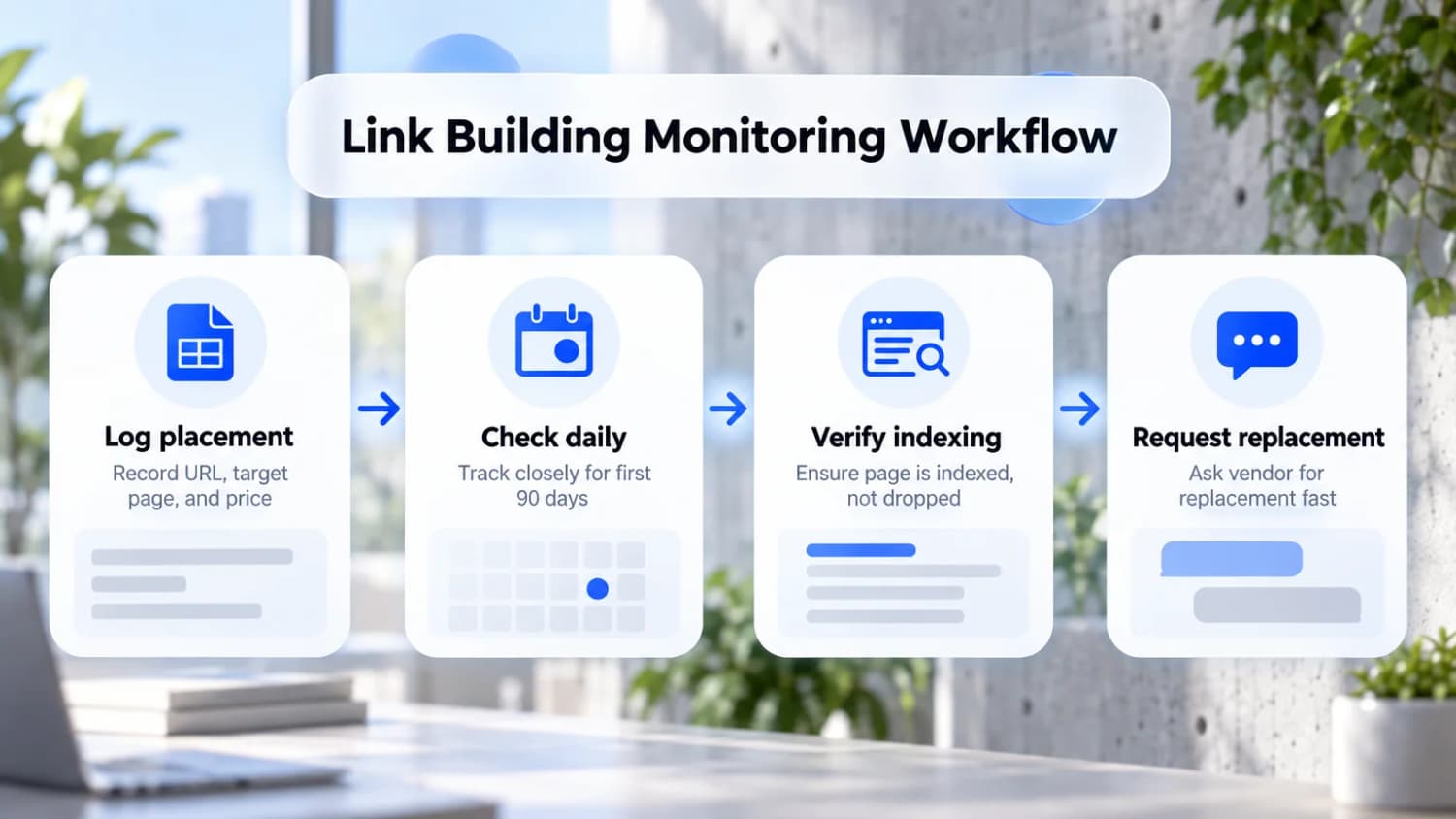
- Log each placement with the URL, target page, anchor, follow status, and price.
- Check daily for the first 90 days. Links often vanish when a site owner cleans up old posts or sells the site, and the sooner you notice, the easier the replacement.
- Check indexing, not just presence. A link on a page Google dropped is worth nothing. Website indexing tools can help get those pages recrawled.
- Ask for a replacement fast. Reputable vendors replace lost links if you report them quickly with proof.
This is why LinkDR, the link building service I run, includes tracking after placement in every link price. You see each placed link and its status instead of a one-off report.
How to choose
- Only want alerts when links break: Linkody.
- Want to find new link opportunities: Ahrefs.
- Need rank tracking and audits too: SE Ranking or Semrush.
- Buy or build links and need proof they stick: LinkChecker.pro.
- On a zero budget: Google Search Console plus Ahrefs Webmaster Tools.
FAQ
What is a backlink management tool?
A backlink management tool keeps a record of the links you have built or bought and rechecks each one. A monitor does the rechecking. Management adds the record: the placement URL, the page it points to, the anchor, the follow status, and what you paid. Of the tools here, LinkChecker.pro is built for that job. You import your placements and it checks each one daily, including whether the page is indexed. See monitoring links you build for the routine.
What is backlink monitoring?
Backlink monitoring is tracking the links pointing to your site over time and getting alerted when one is lost, changes to nofollow, redirects, or gets deindexed. It protects the links you already have, while a backlink checker only shows a snapshot.
Are backlinks still relevant in 2026?
Yes. Links are still one of the main signals Google uses to judge authority. Quality matters far more than volume: a few relevant links beat hundreds of spammy ones.
Is it worth paying for a backlink checker?
If you build or buy links, yes. A monitor at $15-$25 a month pays for itself the first time it catches a lost placement. If you only publish content and do not build links, Google Search Console and Ahrefs Webmaster Tools are enough.
How can I check my backlinks for free?
Use the Links report in Google Search Console, and verify your site in Ahrefs Webmaster Tools. Together they show most of your backlinks without paying.
How often should I check my backlinks?
Daily for links you paid for, especially in the first 90 days. Weekly is fine for the rest of your profile.
What should I do when I lose a backlink?
Check whether the page moved, was deleted, or just changed the link. Then contact the site owner with the exact URL and ask them to restore it. If you paid for it, ask your vendor for a replacement.